
Discover the step-by-step process technicians use to diagnose laptop issues, why professional diagnosis saves money, and red flags that indicate a bad repair shop in Malaysia.
Understanding Professional Laptop Diagnosis
When your laptop starts acting up, knowing what happens during a professional diagnosis can save you time, money, and frustration. At TechFix Malaysia, we diagnose laptops at our Sunway Geo Avenue workshop, and transparency is our priority.
A proper diagnosis is the foundation of effective repair. Without it, you risk wasting money on unnecessary fixes or missing the real problem entirely.
The 4-Stage Professional Diagnosis Process
Stage 1: Visual Inspection and Customer Interview
Every diagnosis begins with understanding your experience. Our technicians ask specific questions:
- When did the problem start?
- What were you doing when it occurred?
- Have you noticed any patterns or triggers?
- Has there been any physical damage or liquid exposure?
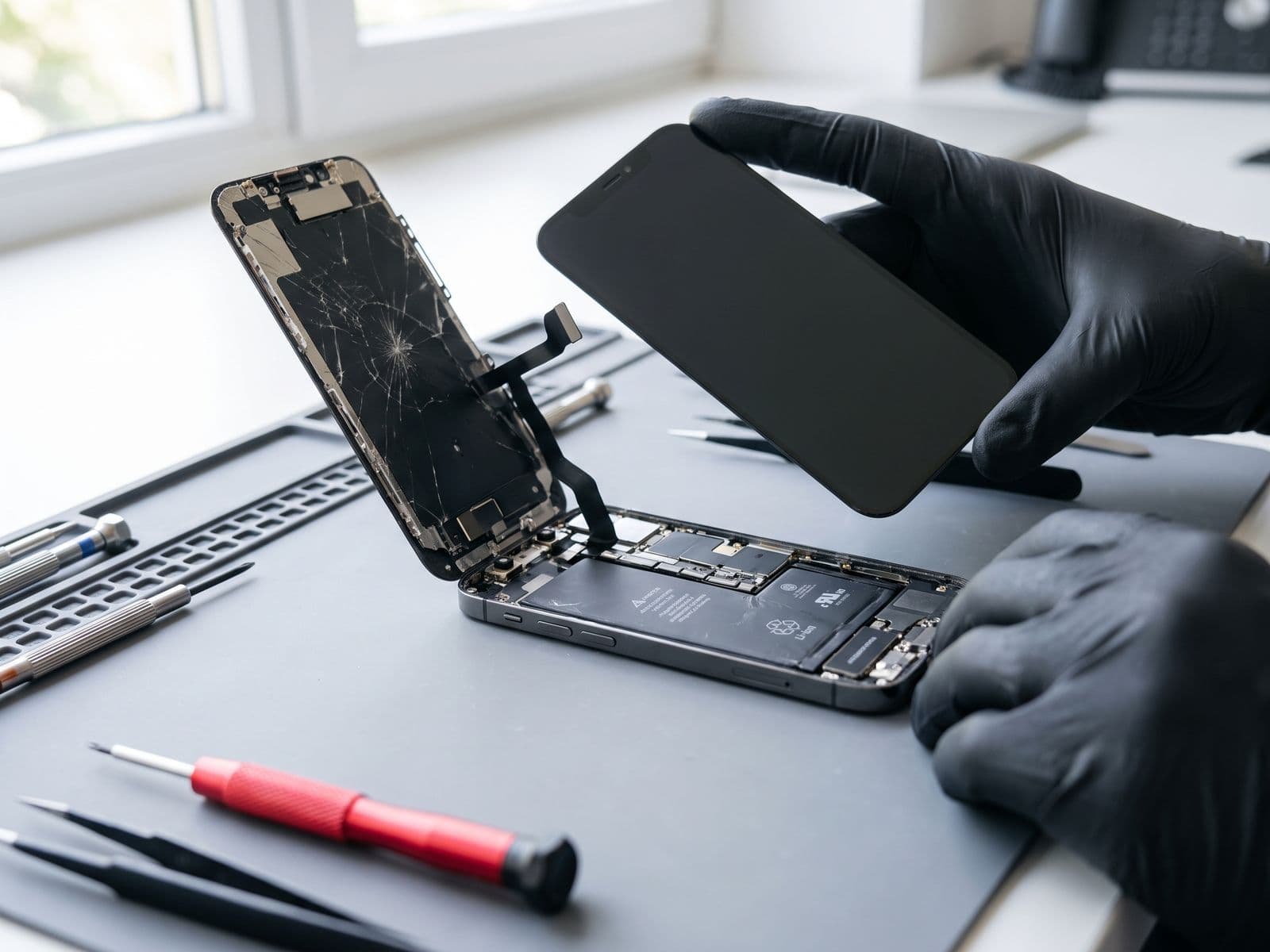
Physical examination includes:
- Checking for cracks, dents, or impact damage
- Inspecting ports for debris or damage
- Looking for signs of liquid damage (corrosion, staining)
- Examining hinges, keyboard, and trackpad condition
- Verifying serial numbers and warranty status
This stage takes 10-15 minutes but provides crucial context that guides the entire diagnostic process.
Stage 2: Software-Level Testing
Before opening your laptop, technicians run comprehensive software diagnostics:
Operating System Checks:
- Boot sequence analysis
- Error log review (Event Viewer on Windows, Console on macOS)
- Driver conflict detection
- Malware and virus scanning
- File system integrity verification
Performance Benchmarking:
- CPU stress testing
- RAM diagnostics (MemTest86)
- Disk health analysis (SMART data)
- Temperature monitoring under load
- Battery cycle count and health percentage
This stage identifies whether your issue is software-based (potentially fixable without hardware replacement) or hardware-related.
Stage 3: Hardware Component Testing
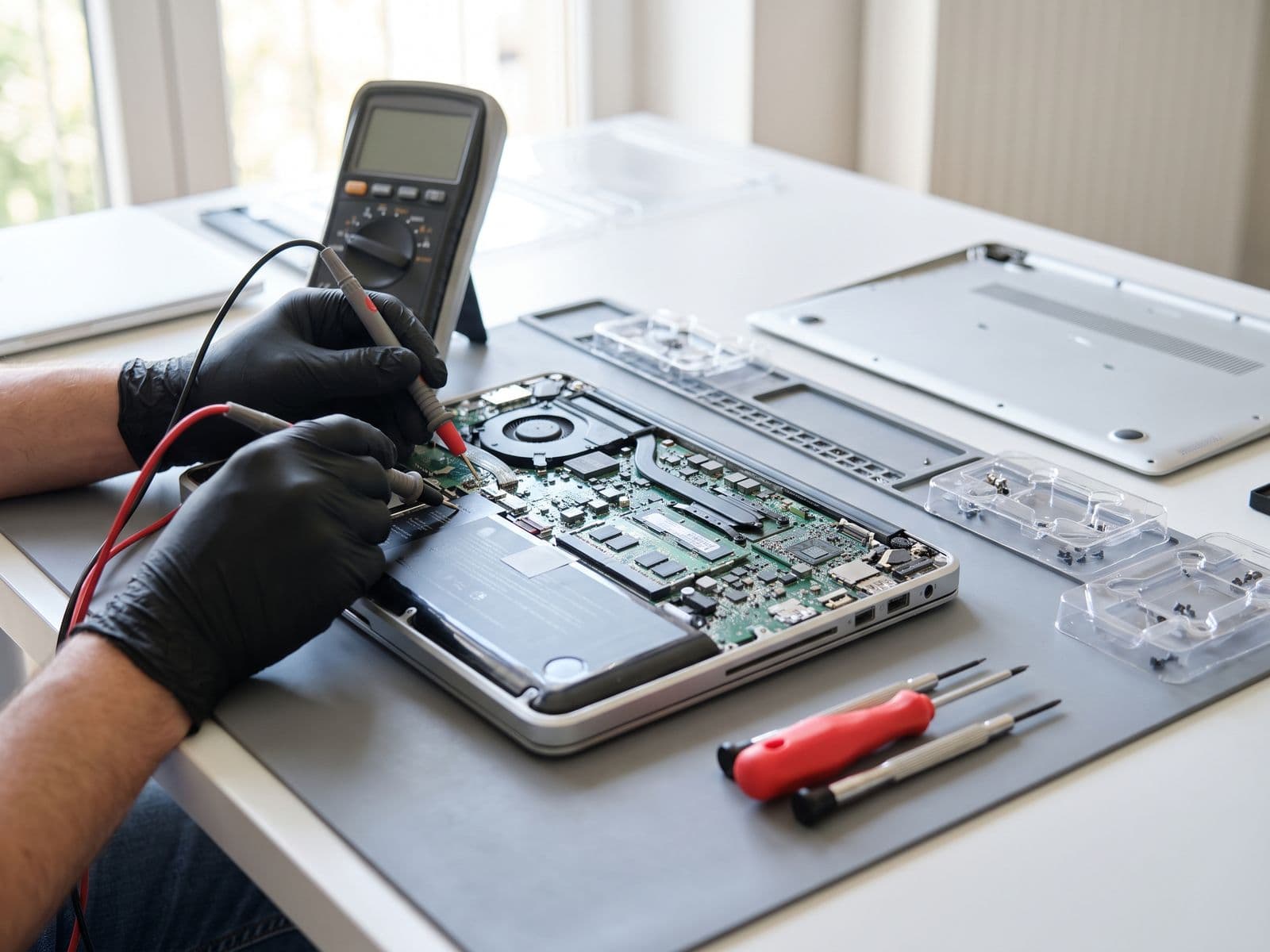
When software tests point to hardware issues, we proceed with targeted component testing:
| Component | Testing Method | Common Issues Detected |
|---|---|---|
| Display | External monitor test, backlight check | Broken LCD, faulty backlight, GPU issues |
| Keyboard | Key response mapping, voltage testing | Stuck keys, liquid damage, cable failure |
| Battery | Voltage testing, charge cycle analysis | Worn cells, swelling, charging circuit failure |
| RAM | Module swapping, slot testing | Faulty modules, slot corrosion |
| Storage | SMART data, sector testing | Bad sectors, controller failure |
| Motherboard | Multimeter voltage checks | Power delivery issues, chip failure |
For MacBook diagnosis, we use Apple's proprietary diagnostic tools (Apple Diagnostics, AST 2) to identify issues that generic tools might miss.
Stage 4: Component Isolation and Root Cause Identification
This is where experience matters. Technicians systematically isolate components to pinpoint the exact failure:
- Disconnecting peripherals to rule out conflicts
- Testing with known-good replacement parts
- Examining solder joints under magnification
- Using thermal imaging to detect overheating components
- Checking power delivery across the motherboard
Example scenario: A laptop won't turn on.
- Visual inspection reveals no obvious damage
- Multimeter testing shows no power reaching the motherboard
- Charging port inspection reveals loose connection
- Root cause: Broken charging port requires replacement
Without proper isolation, a technician might incorrectly diagnose a motherboard failure (a costly board repair) when it's actually just a charging port issue (a much smaller repair).
Why Professional Diagnosis Saves Money Long-Term
Many customers ask: "Is diagnosis worth the cost?"
The answer: Accurate diagnosis prevents costly mistakes. Our diagnostic fee (RM 100 for Windows laptops, RM 150 for Apple and Surface) is waived if you proceed with the repair.
Scenario A (With Professional Diagnosis):
- Customer reports "laptop won't charge"
- Expert diagnosis reveals a worn battery, quoted before any work starts
- Total cost: the battery replacement only (diagnostic fee waived)
- Repair time: Same day
Scenario B (Without Proper Diagnosis):
- Customer assumes battery problem, buys a third-party battery online
- Problem persists (actual issue: faulty charging circuit)
- Now needs the charging circuit repair on top of the wasted battery purchase
- Total cost: both the wasted battery and the repair
- Wasted time: 1-2 weeks
Our professional diagnosis also includes:
- Written report of all findings
- Transparent pricing before any work begins
- Photos/videos of damaged components
- No obligation to proceed with repairs
Red Flags of Bad Repair Shops in Malaysia
After diagnosing laptops that were "repaired" elsewhere, we've seen these warning signs repeatedly:
1. Immediate Diagnosis Without Testing
Red flag: "It's definitely the motherboard" within 30 seconds of seeing your laptop.
Reality: Proper diagnosis takes 30-60 minutes minimum. Instant diagnoses are usually guesses that lead to unnecessary replacements.
2. Refusing to Explain the Problem
Red flag: Technical jargon without explanation, or "You wouldn't understand."
Professional approach: Good technicians explain issues in simple terms, show you the damaged component, and answer questions patiently.
3. No Written Quote or Diagnosis Report
Red flag: Verbal estimates that change when you return to collect your device.
Professional standard: Written quotes with itemized parts and labor costs, plus diagnostic findings documentation.
4. Pressure to Decide Immediately
Red flag: "This price is only valid if you decide now."
Professional approach: Reputable shops give you time to consider options, get second opinions, or budget for repairs.
5. Generic Parts Without Options
Red flag: Only offering third-party components without mentioning original parts availability.
Professional standard: Presenting multiple options (original, OEM equivalent, budget) with pros/cons of each.
6. No Warranty on Repairs
Red flag: "All sales final" or warranty less than 30 days.
Industry standard: Minimum 90-day warranty on parts and labor, which is the warranty TechFix gives on repairs.
7. Cannot Provide Business Registration Details
Red flag: Operating without proper business registration or unwilling to provide SSM details.
Professional requirement: All legitimate repair businesses in Malaysia must be registered with SSM (Suruhanjaya Syarikat Malaysia).
What to Expect at TechFix Malaysia
When you bring your laptop to Sunway Geo, or courier your device to us (we courier it back free):
Step 1: Check-in (5 minutes)
- Complete service form with contact details
- Describe the issues you're experiencing
- Receive claim ticket with tracking number
Step 2: Diagnosis (30-60 minutes)
- Complete 4-stage diagnostic process
- Receive WhatsApp updates on progress
- Get call when diagnosis is complete
Step 3: Consultation (10-15 minutes)
- Review written diagnostic report
- Discuss repair options and pricing
- Approve work or decline with no charge
Step 4: Repair (timeline varies)
- Parts ordered if needed
- WhatsApp updates during repair
- Quality testing before return
Step 5: Collection
- Final testing demonstration
- 90-day warranty documentation
- Care instructions and recommendations
Common Laptop Issues We Diagnose Daily
Based on 1,000+ monthly diagnoses at our workshop:
-
Battery drain issues (28% of cases)
- Worn battery cells
- Background processes
- Power management settings
-
Screen problems (22% of cases)
- Cracked LCD
- Backlight failure
- Loose display cables
-
Performance degradation (18% of cases)
- Insufficient RAM
- Failing SSD/HDD
- Thermal throttling from dust
-
Keyboard/trackpad malfunction (15% of cases)
- Liquid damage
- Worn membrane
- Cable connection issues
-
Charging problems (12% of cases)
- Faulty charging port
- Damaged charging cable
- Battery management chip failure
Frequently Asked Questions
How long does laptop diagnosis take? Standard diagnosis takes 30-60 minutes. Complex cases involving intermittent issues may require extended testing (2-4 hours) with your permission.
Is the diagnosis fee really waived? A diagnostic fee applies (RM 100 for Windows laptops, RM 150 for Apple and Surface), and it's fully waived when you approve the quoted repair — so when we fix it, the check costs you nothing. No obligation to proceed.
What if the diagnosis reveals multiple issues? We prioritize issues by urgency and impact, providing repair options for each. You can choose to fix all issues, critical ones only, or decline all repairs.
Can I watch the diagnosis process? Due to workshop safety and equipment sensitivity, customers cannot be in the technical area. However, we provide photo/video documentation of findings.
What happens if you can't find the problem? In rare cases of intermittent issues, we may need to keep your laptop for extended monitoring (24-48 hours) to catch the problem when it occurs. Still no diagnosis charge.
Do you diagnose all laptop brands? Yes, we diagnose all brands including MacBook, Dell, HP, Lenovo, ASUS, Acer, Microsoft Surface, Razer, and more.
Book Your Laptop Diagnosis Today
Don't waste money guessing what's wrong with your laptop. Our expert technicians provide comprehensive, transparent diagnosis, with the diagnostic fee waived when you approve the repair.
Visit us for same-day diagnosis:
Sunway Geo Avenue (Bandar Sunway, Subang Jaya) G-06-28, Level 6, Block G, Sunway Geo Avenue Jalan Lagoon Selatan, Bandar Sunway Open: Mon-Fri 9AM-6PM (closed Sat & Sun)
Elsewhere in Malaysia Courier your device to us and we courier it back free. WhatsApp us first to confirm timing.
WhatsApp us: 012-770 7120
Book a diagnosis online or walk in with your laptop. Average diagnosis completion time: 45 minutes. Diagnostic fee waived if repair proceeds.