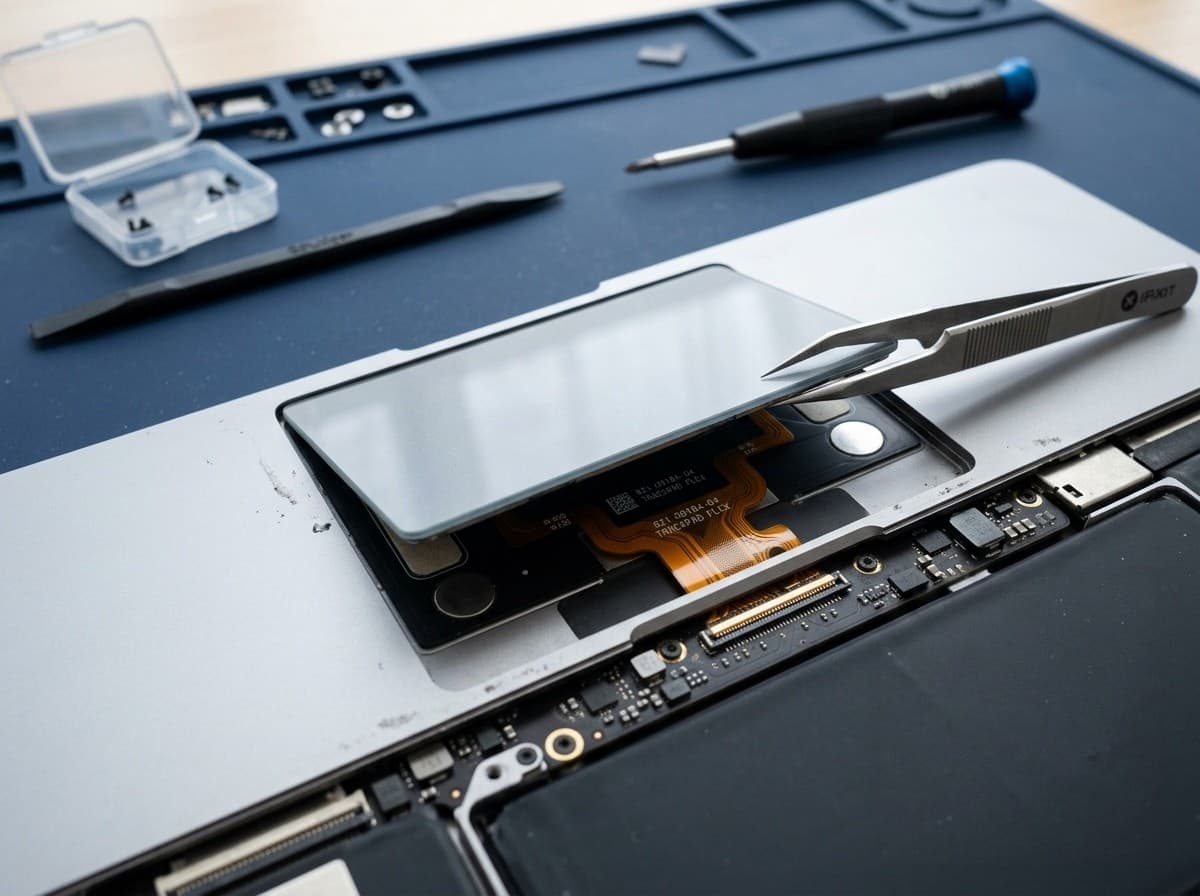
Trackpad
Not Clicking?
We fix MacBook trackpads that are stuck, unresponsive, or cracked. Fast same-day replacement with TechFix-supplied parts.
Stuck Click
Won't physically click down
Erratic Cursor
Jumps around screen
90-Day Warranty
Defect coverage included
Calibration
Precise sensitivity setup
Quote after diagnosis
TechFix supplies all parts. Final scope and price are confirmed after diagnosis, before work begins.
- 90-Day Warranty
- Parts & labour included
- Sunway Geo Avenue
Is Your Trackpad Faulty?
Trackpads can fail due to liquid damage, battery swelling pressing from below, or wear and tear.
Trackpad not clicking
Cursor jumping randomly
Trackpad cracked
No response to touch
Physical click stuck
Gestures not working
Bulging trackpad (Battery issue)
Erratic movement
Important Note: Battery Swelling
Often, a "stuck" or "hard to click" trackpad is actually caused by a swollen battery pushing up from underneath. We always check this first.
Configure your repair
Select your MacBook for trackpad
Choose the closest model so your booking and WhatsApp quote carry the same repair context.
TechFix supplies and installs the parts; customer-supplied parts are not accepted. Repair intake is available at Sunway Geo Avenue or by courier. TechFix does not offer data recovery.
Trackpad
Click or Force Touch faults
Quote after assessment
Select your MacBook model to continue.
Need it urgently? WhatsApp us first to confirm current parts stock and likely turnaround. Sunway intake is Monday–Friday, 9AM–6PM; priority service does not guarantee stock or same-day completion.
Replacement Pricing
Includes installation, testing, and warranty.
MacBook Air 13" (M1/M2)
MacBook Pro 13" (M1/M2)
MacBook Pro 14" (M1/M2/M3)
MacBook Pro 16" (M1/M2/M3)
MacBook Air (Intel)
MacBook Pro (Intel)
MacBook (12-inch)
Fixing a MacBook Trackpad: Causes, Repair and Data Safety
Symptoms and what usually causes them
A trackpad that misbehaves is not always a trackpad that has failed. Before anything is replaced, it helps to match the symptom to the likely cause, because the fix can be very different.
- Pad will not click down, or feels raised in one corner. The most common cause is a swollen battery underneath pushing against the trackpad. This is why we inspect the battery first, and why a trackpad complaint sometimes ends with a battery replacement instead.
- Cursor jumps, drifts or taps by itself. Check for moisture, oily residue or a protective film that has lifted. If it started after a spill, it may be liquid reaching the trackpad connection, which is a job for our water damage repair service rather than a simple swap.
- Click works but feels weak, or there is no click feedback at all. On Force Touch models the click is simulated by a haptic motor under the glass. If cursor movement works but the click feels dead while the Mac is on, the haptic assembly or its connection is the suspect.
- Gestures, two-finger scrolling or Tap to Click stopped working. Open System Settings and check the Trackpad options, then restart. If the settings look right and a fresh restart does not help, hardware is more likely.
- Glass is cracked or dented. This usually follows an impact, or pressure on the closed lid. A cracked surface can cause ghost touches and should be replaced rather than monitored.
Quick checks you can do at home: restart the MacBook, disconnect any Bluetooth mouse or Magic Trackpad, and test in a new user account. On an Intel MacBook, resetting the NVRAM and SMC is also worth a try. If the problem follows you everywhere, bring it in.
Mechanical click versus Force Touch
Older MacBooks have a mechanical trackpad with a physical hinge under the pad, so the click is a real moving part that can jam or wear. Newer MacBook Air, MacBook Pro and 12-inch MacBook models use a Force Touch trackpad with no hinge, where a haptic motor creates the feel of a click. That difference matters for diagnosis: a stuck mechanical pad points to dirt or a swollen battery, while a Force Touch pad that feels dead points more towards the haptic assembly or its cable.
It also affects what has to be replaced. Depending on the model, the trackpad is either its own module or part of a larger top case assembly. We confirm this once your exact model is on the bench, and the quote reflects what is genuinely needed.
What the repair involves
We open the base of the MacBook, disconnect the battery first, and inspect the trackpad, its flex cable and the battery for swelling or liquid residue. If the cause is a swollen battery, we tell you before touching anything else. Where the trackpad itself is at fault, we replace it with a part supplied by TechFix, then test clicking, cursor tracking, force-click and multi-finger gestures before returning the machine.
Part pricing and availability differ by model, so the quote is given after diagnosis and confirmed before work begins. Use the WhatsApp stock check on this page if you want to know whether your model's part is in before you travel to Sunway.
Your data stays where it is
Same-Day, No Data Wipe is how we work. A trackpad repair does not touch your storage, your macOS install or your account, and we do not reset the machine. We still recommend a recent backup before any repair, simply because it is good practice.
Related MacBook repairs
Trackpad trouble often comes with another fault in the same area. See our MacBook battery replacement if the pad is lifting, the MacBook keyboard replacement page if keys are also unreliable, or our water damage repair service after a spill. The full list is on our MacBook repair Malaysia hub.
Frequently Asked Questions
Why can't I click my MacBook trackpad?
How much to replace a trackpad?
Does the repair affect Touch ID?
My trackpad does not click when the MacBook is switched off. Is it faulty?
Is it safe to keep using a MacBook with a swollen battery?
Will I lose my files or have my MacBook wiped?
What does the diagnosis cost, and what if I decide not to repair?