MacBook Keyboard Replacement
Sticky keys, keys that repeat, keys that do nothing — and on 2015–2019 machines, the butterfly mechanism that Apple never really fixed. We tell you which of two jobs yours needs before you commit, because the difference is substantial.
Keyboard replacement is quoted after diagnosis, and no work starts until you approve the quote.
Why we do not quote a single number
Keyboard cost depends on whether your MacBook takes a keyboard-only replacement or a full top-case assembly. Those are different jobs with different parts. We confirm which after checking your model number — and we would rather tell you that than publish a floor you cannot actually get.
Find your model number first
Flip the MacBook over — it is printed on the underside, in the form A2337. Or use the Apple menu → About This Mac. Send us that number and we can tell you which of the two jobs you are looking at before you come in.
Models We Service
Keyboard replacement is available for every MacBook model below. Select yours in the configurator, or send us the exact model number for a firm quote.
- MacBook Air M1/M2/M3
- MacBook Air 13-inch (2018-2020)
- MacBook Air 11-inch
- MacBook Pro 13-inch
- MacBook Pro 14-inch
- MacBook Pro 15-inch
- MacBook Pro 16-inch
- MacBook 12-inch
- MacBook Pro Touch Bar
- MacBook Pro Non-Touch Bar
Configure your repair
Select your MacBook for keyboard
Keyboard construction varies by exact MacBook family. Choose the closest model so TechFix can confirm whether the keyboard alone or the full top case is required before quoting.
TechFix supplies and installs all required hardware.
Sunway Geo · Monday–Friday, 9AM–6PM.
Keyboard and installation coverage is confirmed with the approved quote.
Your repair
Select your MacBook
MacBook keyboard replacement · hardware supplied and installed
Choose a model to continue
Need it urgently? WhatsApp us first to confirm current parts stock and likely turnaround. Priority service does not guarantee stock or same-day completion.
Keyboard Services & Pricing
Which one you need depends on your model — and on how much of the keyboard is actually affected.
Full Keyboard Replacement
Quoted on your model
The keyboard assembly is replaced and the rest of the machine stays as it is.
- Butterfly mechanisms replaced with more reliable ones
- Same-day in most cases — 3 to 5 hours on the bench
- 90-Day Warranty on the part and the labour
Full top-case assembly
Quoted on model
Some models integrate the keyboard into the top case, so the whole assembly is the part.
- Confirmed from your model number before you commit
- Includes the trackpad and chassis surface where integrated
- Longer on the bench — we will tell you how long up front
Keyboard Cleaning
Quoted on your model
For sticky or unresponsive keys that do not need a full assembly swap — a deep clean of the mechanism, tested key by key.
- The lighter first step when a full replacement is not needed
- Compressed-air and mechanism-level cleaning, not just a wipe-down
- We say so honestly if a replacement would serve you better long-term
MacBook keyboard replacement price by model
Starting prices for the models we have a published keyboard price for. Any other model is quoted after diagnosis.
| Model | Years | Price |
|---|---|---|
| MacBook Air 11″ (A1370) | 2010–2015 | From RM 300 |
| MacBook Air 11″ (A1465) | 2010–2015 | From RM 280 |
| MacBook Air 13″ (A1369) | 2012–2017 | From RM 380 |
| MacBook Air 13″ (A1466) | 2012–2017 | From RM 380 |
| MacBook Air M1 (A2337) | 2020 | From RM 480 |
| MacBook Air Retina 13″ (A1932) | 2018–2020 | From RM 480 |
| MacBook Air Retina 13″ (A2179) | 2018–2020 | From RM 480 |
| MacBook Pro 13″ (A1278) | 2009–2012 | From RM 280 |
| MacBook Pro 13″ (A1708) | 2016–2017 | From RM 480 |
| MacBook Pro 13″ (A2159) | 2016–2019 | From RM 480 |
| MacBook Pro 13″ (A2251) | 2020–2022 | From RM 480 |
| MacBook Pro 13″ (A2289) | 2020–2022 | From RM 480 |
| MacBook Pro 13″ M1 (A2338) | 2020–2022 | From RM 480 |
| MacBook Pro 13″ Touch Bar (A1706) | 2016–2019 | From RM 480 |
| MacBook Pro 13″ Touch Bar (A1989) | 2016–2019 | From RM 480 |
| MacBook Pro 15″ Touch Bar (A1707) | 2016–2019 | From RM 480 |
| MacBook Pro 15″ Touch Bar (A1990) | 2016–2019 | From RM 480 |
| MacBook Pro Retina 13″ (A1425) | 2012–2015 | From RM 380 |
| MacBook Pro Retina 13″ (A1502) | 2012–2015 | From RM 380 |
| MacBook Pro Retina 15″ (A1398) | 2012–2015 | From RM 380 |
Your final quote follows diagnosis, and no work starts until you approve it. Diagnosis for a MacBook is RM150. The diagnosis fee is waived if you go ahead with the repair, or if the MacBook cannot be repaired.
Common Keyboard Issues We Fix
From a single sticky key to full butterfly mechanism failure — what we see most, and why.
About Butterfly Keyboards
MacBooks from 2015 to 2019 use the butterfly mechanism — the design Apple replaced, apologised for, and ran a service programme over. A single crumb under a key is enough to make it stick or repeat, and cleaning it rarely holds for long.
We fit butterfly replacements with more reliable mechanisms, so the machine you get back is less likely to develop the same fault again. If yours is in this window, say so when you message us — it changes the recommendation.
Symptoms we see most
- Sticky keys — A key that needs a harder press than its neighbours, or does not spring back cleanly.
- Keys that repeat — One press producing two or three characters — classic butterfly behaviour.
- Dead keys — Nothing at all from one or more keys, while the rest of the board works normally.
- Butterfly mechanism failure — The 2015–2019 fault: debris under the mechanism that cleaning does not fix for long.
Three to five hours, and why
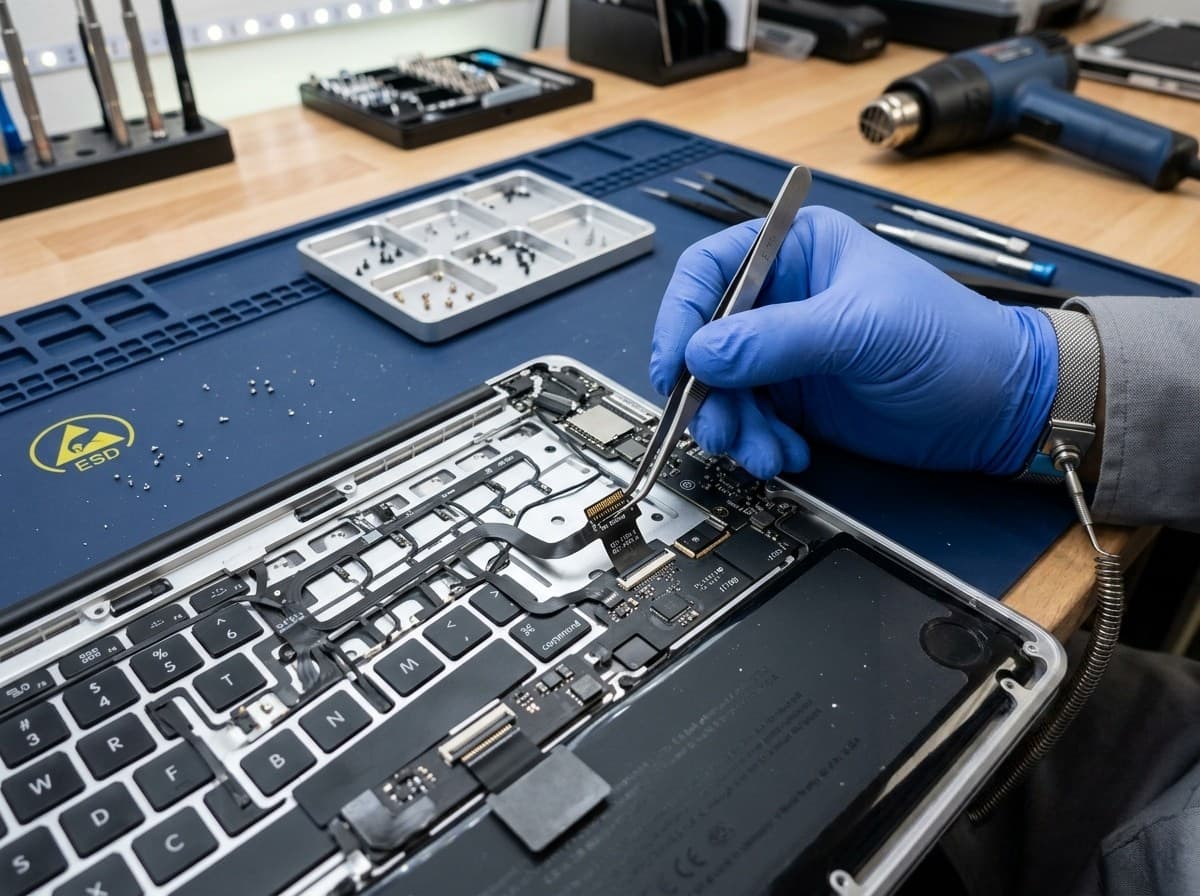
A keyboard is not a surface part. Reaching it means taking the machine most of the way apart, which is why this is an afternoon rather than the half-hour a battery takes. Same-day is normal; we just need the machine for the day.
Model check and quote
We read your model number and confirm which job it is — keyboard replacement or full top-case assembly — and what it costs. You approve before anything is opened.
You approve hereBackup reminder
We recommend a quick Time Machine backup. Your data is not touched by this repair, but a keyboard job is a major disassembly and backing up first is simply good practice.
Disassembly
The machine comes apart most of the way — battery disconnected first, then the internals lifted out to reach the keyboard. This is what the three to five hours is.
Fitting
The new keyboard or top case goes in, cables are re-seated, and the chassis is closed back up with the correct torque on every screw.
Full key test
Every key is tested individually, along with the trackpad, backlight and any Touch Bar or Touch ID the model has, before we tell you it is ready.
Two keys or the whole keyboard?
If one or two keys are affected and the rest of the board is fine, say so when you book. Sometimes the honest answer is a cleaning and a single key rather than an assembly — and that is a much smaller bill.
Bring it in for a diagnosis
We will tell you whether this is a key, a keyboard, or a liquid problem wearing a keyboard costume — sticky keys after a spill are a water-damage job, not this one.
Diagnosis is RM150, waived when you proceed, waived if we cannot repair it, and payable only if you decline a viable quote.
Why Choose Techfix for
Keyboard Repair?
90-Day Warranty
Every keyboard replacement is backed by warranty on both the part and the labour.
Fast turnaround
Most keyboard jobs are same-day once the model and the job are confirmed.
Sunway workshop
Walk-in support at Sunway Geo Avenue, or send it in by courier.
Quality Parts
Replacement keyboards and top-case assemblies chosen for reliability, not just fit.
Get a Quote
Send us your model number and a description of the fault on WhatsApp, and we tell you which job it is and what it costs — there is no charge for that conversation.
If we need to see the machine on the bench to tell a key fault from a keyboard fault from liquid damage, that hands-on diagnosis is RM150, waived when you proceed, waived if we cannot repair it, and payable only if you decline a viable quote.
Frequently Asked Questions
How much to replace MacBook keyboard?
Do you fix Butterfly keyboards?
How long does it take?
Do I need a keyboard replacement or a full top-case assembly?
My keys are sticky after a spill — is that covered by keyboard replacement?
Other MacBook Repairs
Expert repair services for all MacBook issues
MacBook Repair
All MacBook models and repairsWater & Liquid Damage Repair
Spills, corrosion, no power after liquidLogic Board Repair
Component-level board diagnosticsBattery Replacement
Swelling, poor runtime, service warningScreen Replacement
Retina and Mini LED display repairSSD Upgrade
More storage, faster bootTrackpad Repair
Click, drift, or unresponsive trackpad issues
Keyboard Not Working?
Send us your model number and we will tell you which job it is and what it costs, before you bring it in.