MacBook SSD Upgrade Malaysia
Boost performance and increase storage capacity up to 1TB. Fast NVMe SSDs with complete data migration included.
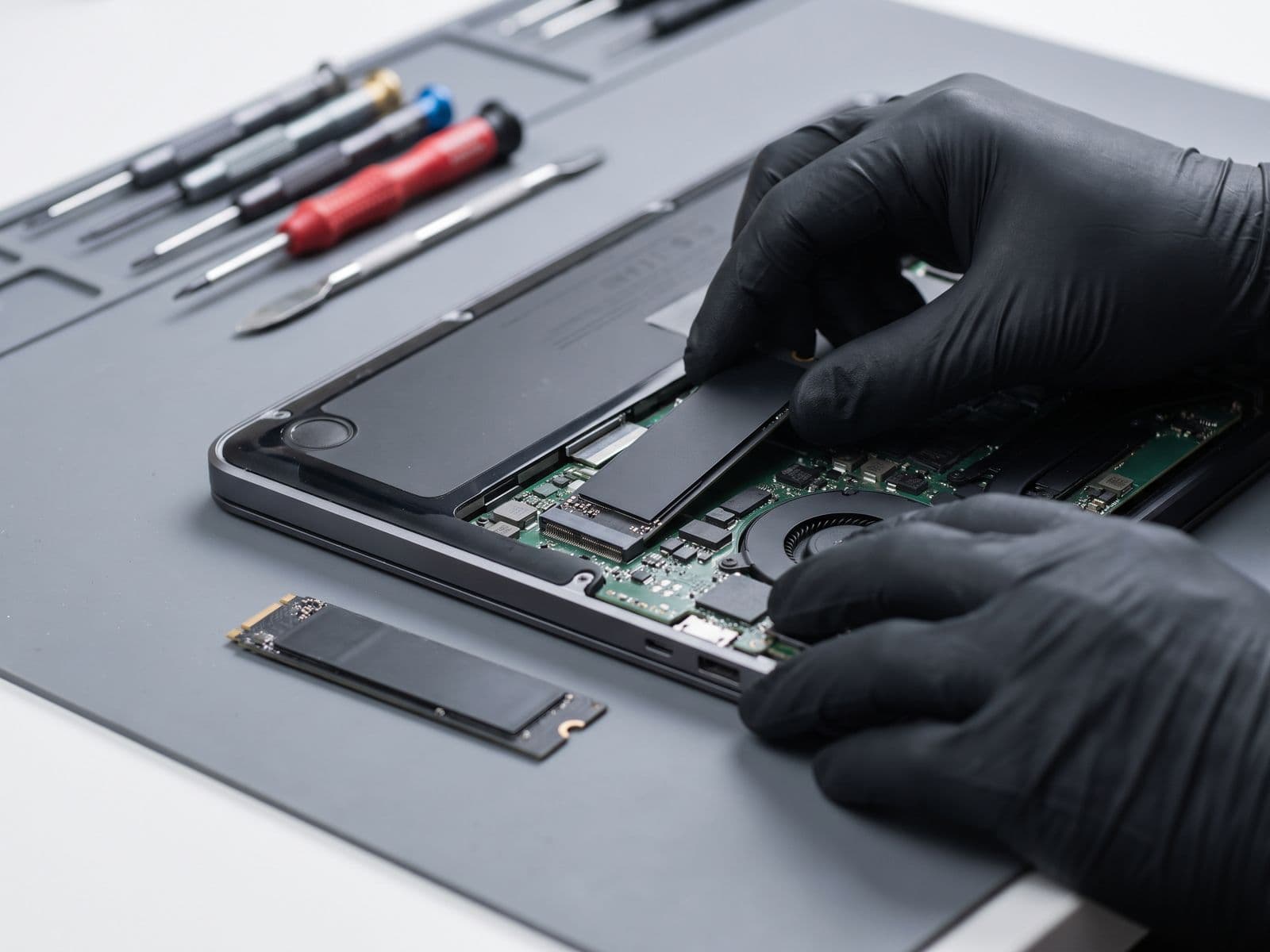
Quote after diagnosis
TechFix supplies all parts. Final scope and price are confirmed after diagnosis, before work begins.
- 90-Day Warranty
- Parts & labour included
- Sunway Geo Avenue
Configure your repair
Select your MacBook for ssd upgrade
Choose the closest model so your booking and WhatsApp quote carry the same repair context.
TechFix supplies and installs the parts; customer-supplied parts are not accepted. Repair intake is available at Sunway Geo Avenue or by courier. TechFix does not offer data recovery.
SSD upgrade
Faster, larger storage
Quote after assessment
Select your MacBook model to continue.
Need it urgently? WhatsApp us first to confirm current parts stock and likely turnaround. Sunway intake is Monday–Friday, 9AM–6PM; priority service does not guarantee stock or same-day completion.
SSD Upgrade Pricing
All prices include high-quality NVMe SSD, installation, and complete data migration
*WhatsApp us to check stock availability before visiting.
WhatsApp to check stock availability- 3000 MB/s Read/Write
- Perfect for everyday tasks
- Data Migration Included
- 90-Day Warranty
- 3500 MB/s Read/Write
- Great balance of speed & space
- Data Migration Included
- 90-Day Warranty
- 3500 MB/s Read/Write
- Room for all your projects
- Data Migration Included
- 90-Day Warranty
Supported MacBooks
Only some MacBooks from 2012-2017 are upgradeable
Non-Upgradeable Models
MacBook Air M3/M2/M1 (2020-2024), Intel MacBook Air (2018-2020), MacBook Pro M3/M2/M1 (2020-2024), Touch Bar MacBook Pro (2016-2017), Intel MacBook Pro (2018-2020), and MacBook 12-inch (2015-2017) have soldered SSDs that cannot be upgraded.
Which MacBooks Can Take an SSD Upgrade?
Check your model first: removable versus soldered storage
The first question on any MacBook SSD enquiry is not which capacity to buy. It is whether your MacBook's storage can be replaced at all. Apple moved from removable SSDs to storage soldered onto the logic board over several years, and no amount of skill at the bench changes that for the newer models.
- Pre-2012 and 2012 non-Retina MacBook Pro: uses a standard 2.5-inch drive, so a modern SSD is a straightforward swap and the biggest speed jump you can give an old machine.
- MacBook Air (2013-2017) and Retina MacBook Pro (2012-2015): uses a removable SSD module in a proprietary shape. Upgrades are possible with a compatible module or an adapter, and the right choice depends on the exact model year, which we confirm before quoting.
- 13-inch MacBook Pro without Touch Bar (2016-2017): uses a removable SSD module in its own proprietary shape. A replacement is possible, but compatible modules are limited, so we confirm the part before quoting.
- 12-inch MacBook (2015-2017) and Touch Bar MacBook Pro (2016-2017): storage is soldered to the board. It cannot be upgraded.
- MacBook Pro and Air from 2018 to 2020 (Intel): soldered storage as well. Not upgradeable.
- Apple silicon MacBooks (M1, M2, M3 and later): storage is part of the board design. Not upgradeable.
Open the Apple menu, choose About This Mac and read the model name and year. That is usually enough for us to tell you where your MacBook sits in the list above.
If your MacBook has soldered storage
We will tell you plainly when an upgrade is not possible, rather than quote something that cannot be done. If you are running out of space on a soldered model, the practical options are an external USB-C or Thunderbolt SSD for large files such as video and photo libraries, moving older projects to iCloud or an external drive, and clearing System Data and old backups from Storage in System Settings. For a MacBook that is slow rather than full, our team can look at battery health, background load and thermals instead.
What an SSD upgrade involves on a compatible MacBook
We confirm the exact model and which SSD fits it, remove the base, swap the drive and test it. Your data comes across by a full clone of the old drive, or by a clean macOS install with your files restored, whichever you prefer. The old SSD is returned to you. Capacity options and pricing are confirmed after diagnosis, and TechFix supplies the SSD.
If you would rather have a clean start, say so when you book. If you want everything exactly as it is, choose the clone.
Your data is migrated, never wiped
Same-Day, No Data Wipe applies here too. Nothing is erased from your old SSD, and it comes back to you as a second copy of your data. We still suggest a Time Machine backup before the appointment.
Looking for iMac, Mac mini or RAM upgrades?
This page is about MacBook storage and which models can take an upgrade. For iMac, Mac mini or Mac Pro, and for memory upgrades, see our Mac SSD and RAM upgrade page. If your MacBook is slow because of a tired battery or a failing part, our MacBook battery replacement and logic board repair pages are the next place to look, and the full list sits on the MacBook repair Malaysia hub.
Common Questions
Can my MacBook SSD be upgraded?
How do I find out which MacBook I have?
How much faster will my MacBook be after SSD upgrade?
Will I lose my data during SSD upgrade?
What SSD brands do you use?
How long does SSD upgrade take?
Can I keep my old SSD?
Ready to Upgrade Your MacBook?
Get 10x faster performance with SSD upgrade. Same-day service with data migration.
Other MacBook Services
Expert repairs for all MacBook issues