Just spilled? Turn the MacBook off now — do not press power to check. WhatsApp 012-770 7120
MacBook Water & Liquid Damage Rescue
Liquid damage is assessed at component level before any price is given. We open the machine, clean the board ultrasonically, test every rail — and tell you what it actually needs, including when it is not worth repairing.
First Response Protocol
Spilled in the last few hours? Do these four things first.
1. Turn Off Immediately
Hold the power button until it shuts down. Do not press power again to see if it still works — that is what kills boards.
2. Disconnect Power
Unplug the charger and any accessories. Current plus liquid is what causes shorts and burnt components.
3. Tent Mode
Open it halfway and stand it upside down like a tent on a towel, so liquid drains away from the board rather than into it.
4. Call Expert
Message us now. Bringing it in today rather than tomorrow is the single biggest factor in whether it survives.
Corrosion does most of its damage in the first 24 hours. Getting it to us today is worth more than anything else on this page.
Assessed first, priced second
Liquid damage cannot be priced from a description, so we do not pretend otherwise. The diagnosis fee is waived if you proceed with the repair (or if it cannot be repaired), the quote comes after the board has been seen, and you approve it before any work starts. Typical ranges are below.
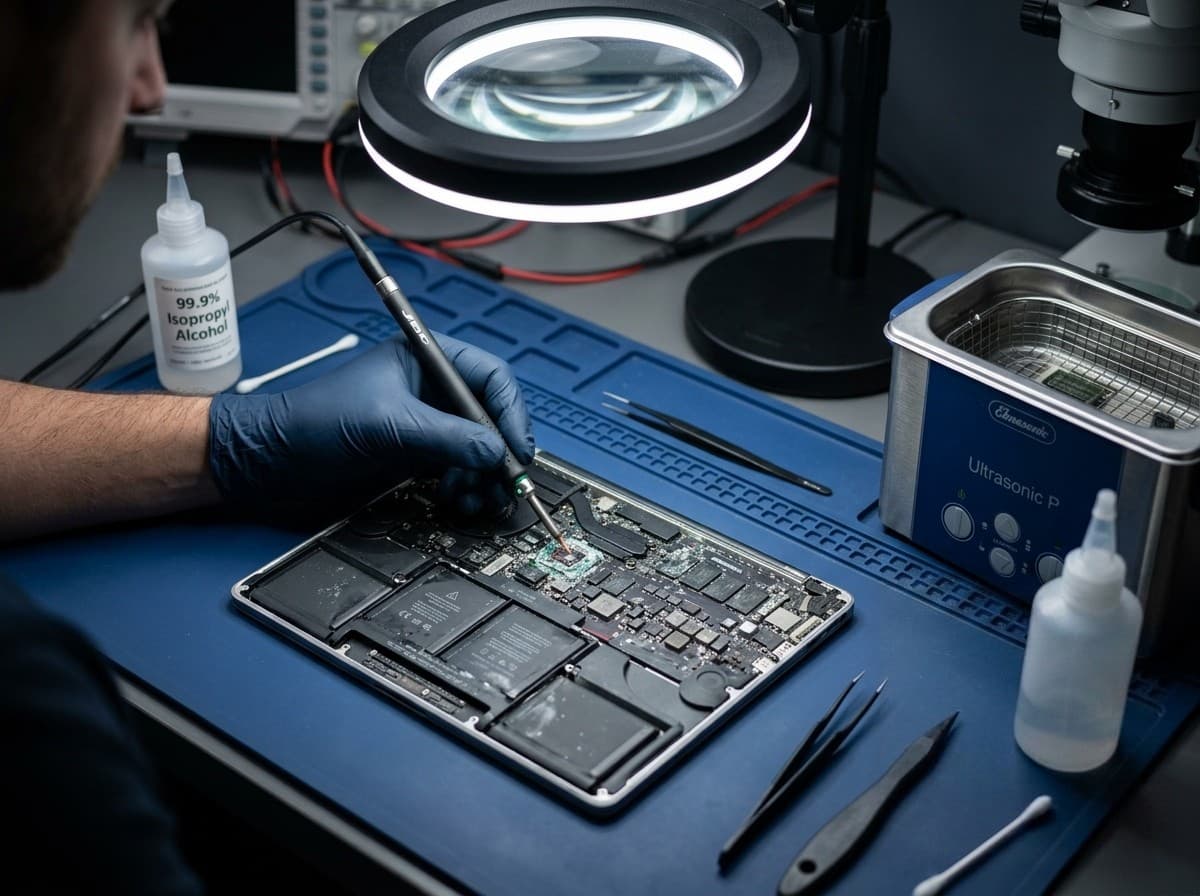
What the liquid was matters
- Sugary drinks — coffee, juice, sodaWorst
- Alcohol-based liquidsDissolves paste
- Plain waterLeast damaging
Sugar accelerates corrosion, which is why a coffee spill is worse than the same volume of water. Alcohol dissolves thermal paste. Whatever it was, professional cleaning inside 24 hours gives the best outcome.
Configure your repair
Select your MacBook for liquid damage
Choose the closest model and pay the RM350 initial estimate to secure the assessment. We credit it to the final invoice; the remaining scope and balance are confirmed only after the board is opened and tested.
TechFix supplies and installs all required hardware.
Sunway Geo · Monday–Friday, 9AM–6PM.
Repair warranty is confirmed with the approved quote.
Your repair
Select your MacBook
MacBook liquid-damage assessment · hardware supplied and installed
Choose a model to continue
Need it urgently? WhatsApp us first to confirm current parts stock and likely turnaround. Priority service does not guarantee stock or same-day completion.
Common Mistakes That Make It Worse
Most of the machines we cannot save were damaged after the spill, not during it. If you have already done one of these, tell us — it changes how we approach the board.
Don't use rice
It does not draw moisture out of a sealed chassis, and rice dust gets into ports and speakers. It is the most common thing we have to clean up after.
Don't use a hair dryer
Heat drives liquid deeper into the board and can lift components off their pads. Warm air is not the same as drying.
Don't shake the device
Shaking spreads liquid across areas it had not reached yet — often from the keyboard into the logic board.
Don't try to turn it on
Powering up a wet board is how a recoverable spill becomes a burnt component. Resist checking, however tempting.
The "Rice Myth" & Corrosion Reality
Rice does nothing because the damage is not water sitting in a chassis — it is an electrochemical reaction that starts the moment liquid bridges two contacts. This is what that reaction does to a board while you decide.
Critical
Liquid enters device, short circuit risk highest.
Severe
Chemical reaction begins, corrosion eats copper traces.
Damage Setting In
Corrosion hardens causing permanent component failure.
Low Success Rate
Extensive board rot. Repair becomes difficult and costly.
How We Rescue Water-Damaged MacBooks
Liquid work cannot be rushed — the cleaning and drying stages take the time they take. You get the quote after stage three, and nothing is repaired before you approve it.
Disassembly
The machine comes apart fully and the battery is disconnected first, so nothing is powered while we work. We photograph the state of the board as we find it.
Ultrasonic Cleaning
The board goes through an ultrasonic bath that removes corrosion and residue from under components — places no amount of wiping or drying will reach.
Component Testing
We test the power rails and individual components to establish exactly what the liquid killed and what merely got wet. This is where your quote comes from.
You approve hereBoard Repair
Micro-soldering to replace failed components and repair damaged traces. This is the stage that varies most in time and cost, because it depends on what stage three found.
Reassembly & Testing
The machine goes back together and runs a full function test — charging, display, keyboard, trackpad, ports, thermals — before we tell you it is ready.
Three to seven days end to end. Stage two and stage three are the slow ones, and they are the two we will not shorten.
Water Damage Repair Pricing
These are starting points from the assessments we do, not quotes. A minor spill cleaned early sits at the bottom of the range; extensive board corrosion needing micro-soldering sits at the top. Your actual number comes after stage three.
- MacBook Air (any model)3-5 daysQuote after diagnosis
- MacBook Pro 13"3-5 daysQuote after diagnosis
- MacBook Pro 14"/16"3-7 daysQuote after diagnosis
- Logic Board Only Repair5-7 daysRM 799
Final pricing depends on damage assessment. The diagnosis fee is waived if you proceed (or if we cannot repair it), the quote is confirmed in writing before any work starts, and you can decline it and take the machine back.
On data
Your SSD is usually fine even when the logic board is not, and we prioritise storage preservation during board repair. But we are honest about the limit: TechFix does not perform data recovery or extraction from failed storage. On M1, M2 and M3 machines the storage is soldered to the board, so what is recoverable depends on the condition of that chip. If the data matters more than the machine, tell us before we start.
No Fix, No Fee Guarantee
Water damage repair is complex — outcomes can vary. If we cannot successfully repair your MacBook after our full assessment and repair attempt, you pay nothing — the RM150 diagnosis fee is waived in full. It applies only if your MacBook can be repaired and you decline the quote. Your trust matters more than any single job.
Get Emergency HelpOur Track Record
We do not publish a success percentage for liquid damage. Every spill is different, and a single number averaged across all of them tells you nothing useful about yours.
What we can tell you is what actually moves the outcome. Three things decide it, and two of them are already settled before the machine reaches us:
- How quickly it was switched off — and whether anyone pressed power again afterwards to check.
- How much liquid got in, and what it was. A teaspoon of plain water and a full mug of sweet coffee are not the same event.
- How fast it reaches the bench, because corrosion does most of its work in the first 24 hours.
Even badly corroded boards can frequently be repaired. Where they cannot, or where the repair would cost more than the machine is worth, we say so after stage three and hand it back at no charge — see the guarantee above.
Every hour without professional treatment narrows what is left to work with.
Water Damage FAQ
The eight questions people actually ask us in the first hour.
What should I do if I spill water on my MacBook?
How much does MacBook water damage repair cost?
Can a MacBook be saved after water damage?
How long does water damage repair take?
Is my data safe if my MacBook has water damage?
Should I put my MacBook in rice after a spill?
What liquids cause the most damage?
Is it ever not worth repairing?
Still have questions? Send our team a WhatsApp message for help.
Related MacBook Repair Services
Expert repair services for all MacBook issues
Still switched on?
Hold the power button until it shuts down, unplug it, and message us. Every hour matters more than any decision on this page.