MacBook Air M3 repair guide for Malaysia: screen, battery and common faults. 90-Day Warranty and expert diagnosis. Book now or walk in.
MacBook Air M3 Repair in Malaysia: A Practical 2026 Guide
The MacBook Air M3 is Apple's most popular laptop — and for good reason. It delivers exceptional performance from Apple's 3nm chip with zero fan noise, 18-hour battery life, and a stunning Liquid Retina display. But like all premium hardware, it has specific vulnerabilities and repair considerations that differ significantly from older MacBook models.
This guide covers the most common MacBook Air M3 repairs in Malaysia, what they cost, what Apple charges by comparison, and the critical upgrade limitation that every M3 Air owner must understand before purchase.
Critical Warning: MacBook Air M3 Cannot Be Upgraded After Purchase
This is the most important fact for any MacBook Air M3 owner in Malaysia.
RAM is soldered directly onto the Apple M3 chip. SSD storage is also soldered onto the logic board.
This means:
- You cannot add more RAM after purchase
- You cannot swap the SSD for a larger drive
- You cannot upgrade storage capacity — ever
Practical implications for repair:
If your MacBook Air M3's SSD fails completely, file retrieval is extremely difficult and expensive through specialist labs. Unlike older MacBooks with removable SSDs, there is no straightforward path once the integrated storage fails.
What you must do before any major repair:
- Back up to Time Machine before bringing your Mac in for any repair
- Back up to iCloud or an external drive before any logic board work
- Ask specifically whether your data is at risk before approving a repair quote
At TechFix MacBook Air Repair, our technicians advise on data backup status before touching any M3 Air — this is non-negotiable.
MacBook Air M3 Common Issues
1. Thermal Throttling (Fanless Design Limitation)
The MacBook Air M3 has no cooling fan — this is both its greatest feature (silence) and its primary limitation. Under sustained heavy workloads, the M3 chip generates heat that the passive cooling system cannot fully dissipate.
Symptoms of thermal throttling:
- Significant performance slowdown during video exports, 3D rendering, or sustained compilation tasks
- Bottom of MacBook becoming uncomfortably hot
- Heavy tasks completing noticeably slower than expected
Is this a repair issue? Not directly. Thermal throttling is a design characteristic, not a defect. However:
- Dust accumulation on internal heat spreader worsens thermal performance over time
- Thermal paste degradation after 2–3 years reduces heat transfer efficiency
- These are addressable with professional internal cleaning and thermal compound reapplication
Cost: quoted after diagnosis for internal cleaning and thermal paste replacement.
Who needs a MacBook Pro instead: If your work regularly involves 4K video export, software compilation, or 3D rendering for more than 30 minutes continuously, the MacBook Pro M3 (with active cooling) is the appropriate tool. The Air is not designed for sustained professional workloads.
2. Battery Degradation
The MacBook Air M3 ships with a rated 52.6 Wh battery providing up to 18 hours of use. Real-world performance varies significantly:
- Light use (browsing, documents): 14–18 hours
- Mixed use (video, occasional Zoom): 8–12 hours
- Heavy use (video editing, multiple displays): 4–7 hours
Battery health degrades over charge cycles. Apple considers battery performance "normal" above 80% capacity for laptops under 1,000 charge cycles. Below 80%, you'll notice:
- Unpredictable shutdowns at 10–20% battery
- Significantly shorter runtime than expected
- System Preferences showing "Service Recommended"
Check your MacBook Air M3 battery health: Hold Option, click the Apple menu, select System Information, then click Power in the sidebar. Review "Cycle Count" and "Condition."
3. Display Issues (Flex Cable and Panel Problems)
The MacBook Air M3 uses a 13.6-inch (or 15.3-inch on the M3 15) Liquid Retina display with 500 nits brightness and P3 wide color. Display problems fall into two categories:
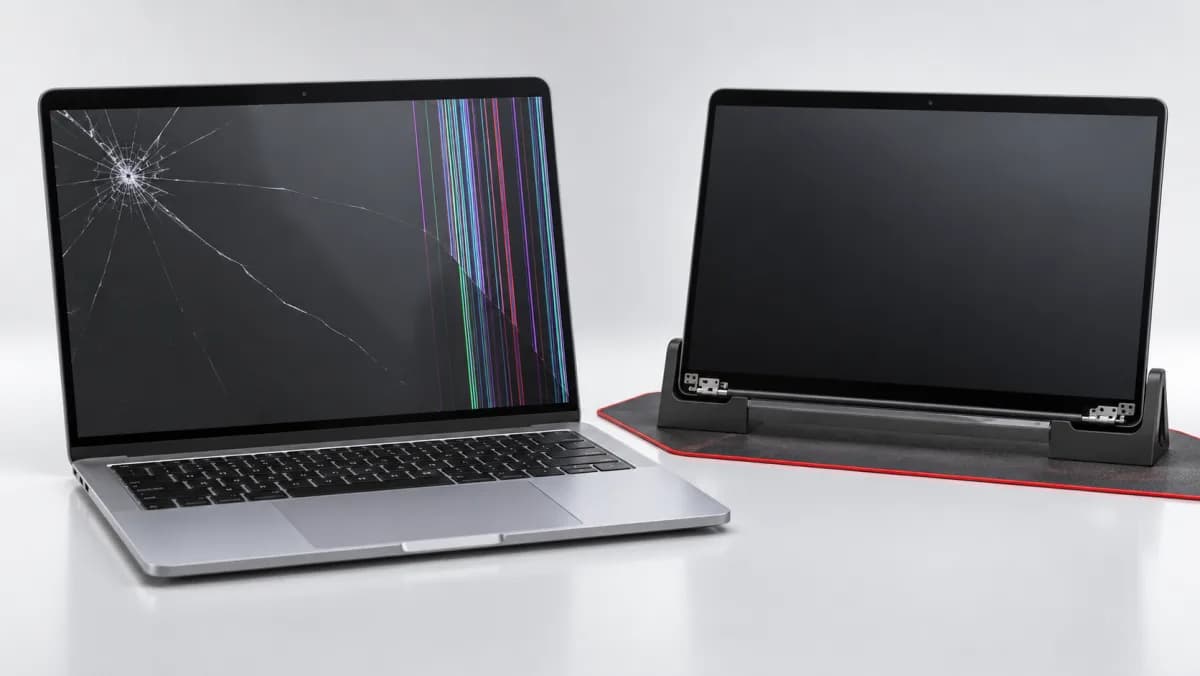
Physical damage: Screen cracks from drops or pressure damage. The display assembly requires full replacement.
Flex cable failure: The MacBook Air's hinge design routes display cables through the lid hinge. Over thousands of open/close cycles, these cables can develop micro-fractures leading to:
- Horizontal or vertical lines appearing on screen
- Display flickering at certain hinge angles
- Backlight failure (screen appears very dim, content only visible in dark)
- Complete display blackout while computer continues to run
Flex cable issues are common in MacBook Airs of all generations — the M3 is not immune, though Apple improved cable routing compared to M1/M2 models.
For physical screen damage or flex cable failure, see our MacBook screen replacement service page for current pricing and turnaround times.
4. USB-C Port Issues
The MacBook Air M3 has two Thunderbolt 4 / USB-C ports. These are the only ports on the device, making port damage especially disruptive. Common issues:
- Charging failure from a single port (use the other port to verify)
- Thunderbolt display connection failure
- Debris accumulation blocking connection
Cost: USB-C port repair or replacement is quoted after diagnosis, depending on damage severity.
MacBook Air M3 Repair Pricing Malaysia
Screen Replacement
| MacBook Air M3 Model | Screen Replacement Cost | Turnaround |
|---|---|---|
| MacBook Air 13" M3 | Quote after diagnosis | 1–3 days |
| MacBook Air 15" M3 | Quote after diagnosis | 1–3 days |
Battery Replacement
| MacBook Air M3 Model | Battery Replacement | Warranty |
|---|---|---|
| MacBook Air 13" M3 | RM 480 | 90-Day Warranty |
| MacBook Air 15" M3 | RM 480 | 90-Day Warranty |
Other Common MacBook Air M3 Repairs
| Repair | Cost |
|---|---|
| USB-C port repair | Quote after diagnosis |
| Keyboard replacement | Quote after diagnosis |
| Trackpad replacement | Quote after diagnosis |
| Internal cleaning + thermal paste | Quote after diagnosis |
| Top case (keyboard + trackpad assembly) | Quote after diagnosis |
| Logic board (M3 chip) replacement | Quote after diagnosis |
Note on logic board pricing: Logic board replacement is the most expensive MacBook repair because the M3 chip, RAM, and SSD are all integrated. In many cases, the cost of logic board replacement approaches the price of a new MacBook Air M3. Our technicians will provide an honest assessment of whether repair or replacement makes more financial sense for your specific situation.
Apple Store vs. TechFix: Which Is Right for Your MacBook Air M3
When Apple Store is the right choice for MacBook Air M3:
- Active AppleCare+ coverage (repairs often covered or heavily discounted)
- Logic board issues potentially qualifying as manufacturing defects
- You need official Apple service documentation for resale or insurance claims
- Warranty repairs covered under standard 90-day warranty
When TechFix is the better choice:
- Out-of-warranty repairs (screen, battery, keyboard, trackpad)
- Faster turnaround needed
- Budget-conscious repairs where quality must still be maintained
- Second opinion before approving an expensive repair
MacBook Air M3 Repair: What to Expect at TechFix
When you bring your MacBook Air M3 to our Sunway Geo Avenue location:
Step 1: Expert Diagnosis (30–60 minutes) We run Apple Diagnostics and targeted hardware tests to confirm the issue. You receive a written diagnosis before any quote.
Step 2: Transparent quote with options TechFix supplies all parts. We explain the repair and the quote clearly, with no pressure to decide immediately, and no work starts until you approve.
Step 3: Data backup advisory Before any repair involving the logic board, screen, or components near the internal storage, our technician confirms your backup status. This is not optional — we will not proceed with high-risk repairs on an unbackedup Mac.
Step 4: Repair with WhatsApp updates You receive a WhatsApp message when your MacBook Air M3 is ready. For parts that need ordering, we provide a realistic timeline — typically 1–3 business days for common components.
Step 5: Quality testing and handover Display calibration verified, battery cycle count reset after replacement, all ports and peripherals tested before you leave.
Should You Repair or Replace Your MacBook Air M3?
This is the honest question TechFix technicians help customers answer. General guidelines:
Repair makes sense when:
- The MacBook Air M3 is under 3 years old
- Repair cost is less than 40% of replacement cost
- The issue is isolated (screen, battery, keyboard) rather than logic board
- You've configured the M3 with higher RAM/storage that would be costly to replicate
Replacement makes sense when:
- Logic board failure where the quoted repair approaches the price of a new MacBook Air
- Multiple simultaneous component failures
- The M3 Air is over 4 years old and showing multiple degradation signs
- You consistently run sustained workloads that the fanless design throttles
MacBook Air M3 Repair FAQ
See FAQ section below for common questions about M3 Air repair costs, SSD and RAM limitations, and repair timing. For the full range of services, see our MacBook repair Malaysia hub.