
Surface Laptop keyboard stuck, unresponsive or broken? Full top-case replacement with 90-Day Warranty. Laptop 3/4/5/Go covered. Same-day service at Sunway — walk in or book online now.
Surface Laptop Keyboard Repair and Replacement Guide for Malaysia
The Surface Laptop keyboard is one of the best things about the device — the key travel, the backlight, and on older models the distinctive Alcantara fabric surround make it genuinely pleasant to type on. When it stops working properly, the experience becomes frustrating fast.
This guide covers every common keyboard failure on Surface Laptop models, explains what is fixable without full replacement, and gives you clear pricing for Malaysia in 2026.
How the Surface Laptop Keyboard Works (and Why It's Hard to Repair)
Unlike most laptops where the keyboard is an independent component bolted to the chassis, the Surface Laptop integrates the keyboard into the top case assembly — the entire lid and keyboard area is a single bonded unit. This is what gives it such a premium feel.
The downside: replacing just the keyboard means replacing the entire top case, including the palmrest and trackpad. There are no separate keycaps available from Microsoft. This is industry-standard for ultrabooks but it means repair costs are higher than a budget laptop.
The Surface Laptop Go has a slightly more modular design that reduces replacement costs slightly.
Keyboard Replacement Pricing
| Model | Keyboard / Top Case Replacement |
|---|---|
| Surface Laptop Go 2 | RM 599 |
| Surface Laptop 3 | RM 699 |
| Surface Laptop 4 | RM 799 |
| Surface Laptop 5 | Quote after diagnosis |
| Surface Laptop Studio | Quote after diagnosis |
All replacements include testing, re-adhesion of display (if removed), and 90-Day Warranty. Most are completed same-day. For more on Surface repairs generally, see our Microsoft Surface repair Malaysia page.
Common Surface Laptop Keyboard Problems
1. Single Keys Not Responding
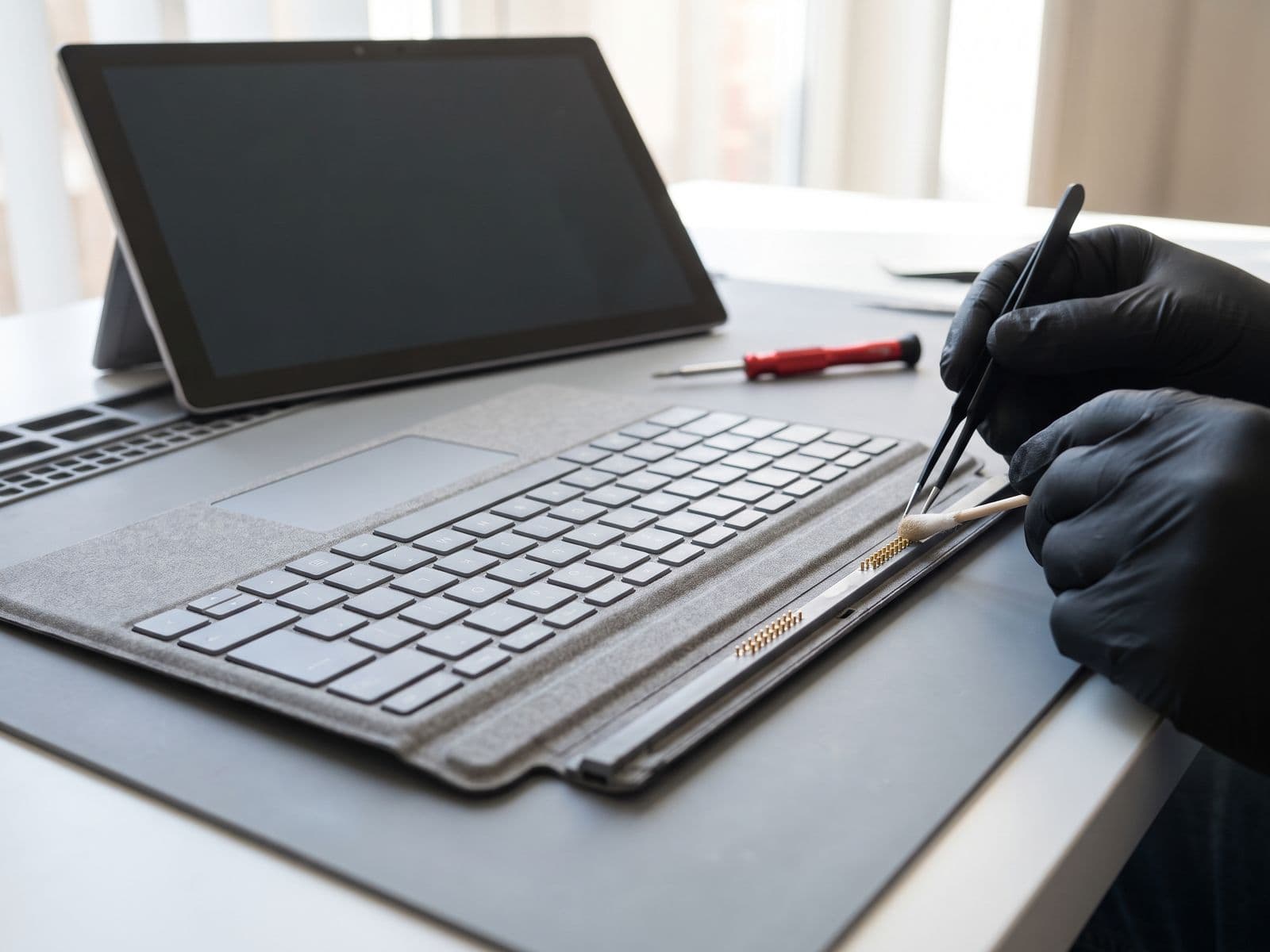
A handful of keys stop registering keypresses — typically after dust ingress, minor liquid exposure, or mechanical fatigue on keys used constantly (spacebar, backspace, e, a, s).
Can it be fixed without replacement? Sometimes. If the issue is debris under the keycap, professional compressed-air cleaning can restore function. If the switch contact has failed, replacement is needed.
2. Sticky or Sluggish Keys
Keys feel heavy, require extra force, or occasionally stick in the down position. Common after a drink spill — even a small amount of coffee or juice can leave a residue that gums the key mechanism as it dries.
Can it be fixed without replacement? For minor stickiness, a careful isopropyl cleaning of the key area can help. For moderate to severe liquid damage, the top case needs replacement.
3. Keyboard Completely Unresponsive
No keys register at all. The backlight may or may not work. This is either a:
- Disconnected keyboard ribbon cable (happens if the device was previously opened)
- Firmware issue (resolvable via BIOS reset in some cases)
- Failed keyboard controller in the top case
Diagnosis takes 10–15 minutes and we will tell you which it is before quoting.
4. Repeated Characters / Key Chattering
One keypress types the character two or three times. This is switch bounce — the contact inside the key registers the press multiple times. It is a hardware failure that worsens over time.
Fix: Top case replacement.
5. Backlight Not Working
The keyboard backlight is off entirely, uneven, or only works intermittently. This could be a software/driver issue (check Windows Device Manager first) or a hardware failure of the backlight LEDs.
Software check first: In Windows Settings → System → Display, look for keyboard backlight controls. In BIOS settings you can also toggle backlight. If both confirm hardware failure, top case replacement is the repair.
6. Alcantara Fabric Damage (Surface Laptop 1 and 2)
The original Surface Laptop and Surface Laptop 2 featured Alcantara fabric on the palmrest and keyboard surround. Over time this fabric can:
- Accumulate staining that does not clean out
- Pill or fray with heavy use
- Peel away from the chassis adhesive in hot, humid conditions (common in Malaysia's climate)
Microsoft no longer supports these models for parts directly, but we source quality replacement top cases for Surface Laptop 1 and 2 as well.
Liquid Spill on Surface Laptop Keyboard: What to Do Now
If you have just spilled something on your Surface Laptop keyboard:
- Power off immediately — hold the power button for 5 seconds
- Disconnect the power cable
- Turn the device upside down and let liquid drain out — do not shake it
- Do not use a hair dryer — heat can damage components
- Do not turn it on to check if it still works — this shorts components
- Bring it in within 24 hours — the longer corrosion has to set in, the more extensive the damage
We offer same-day spill assessment. If the damage is limited to the keyboard, the top case replacement will cover it. If liquid reached the motherboard, there may be additional repair needed.
When Cleaning Is Enough vs When You Need Replacement
| Symptom | Cleaning Likely Enough | Replacement Needed |
|---|---|---|
| 1–2 sticky keys, no spill | Yes | No |
| Light dust on keys | Yes | No |
| Single key not registering | Sometimes | If switch failed |
| Coffee/tea spill (cleaned immediately) | Maybe | Depends on severity |
| Entire keyboard dead | No | Yes |
| Repeated characters on multiple keys | No | Yes |
| Backlight failed | No | Yes (if hardware) |
The diagnostic fee is waived when you approve the repair. If cleaning will fix your problem, we will tell you that and charge only for the cleaning service.
How to Care for Your Surface Laptop Keyboard
A few habits that significantly extend keyboard life in Malaysia's conditions:
- Keep liquids away — this cannot be overstated. One spill can turn a small problem into an expensive repair
- Use a keyboard cover if you work in dusty environments or shared workspaces
- Clean Alcantara with a slightly damp cloth — no solvents, no alcohol wipes
- Transport in a proper sleeve — compression damage is more common than people expect
- Avoid eating at the keyboard — crumbs work their way into key mechanisms over weeks
Book Your Surface Laptop Keyboard Repair
Book online or walk in to our Sunway service centre. Our technicians will diagnose the issue on arrival, give you a firm price, and have it ready same-day in most cases.
See the full range of Surface Laptop and Surface Pro repairs we offer across all models.
Sunway: G-06-28, Level 6, Block G, Sunway Geo Avenue WhatsApp: 012-770 7120