Emergency Battery Replacement for Swollen MacBook Pro 2019
Same-day battery replacement prevented trackpad damage
The customer’s MacBook Pro 2019 had a dangerously swollen battery that was pushing up the trackpad. We performed an emergency same-day battery replacement with an original battery, preventing further damage and restoring full functionality.
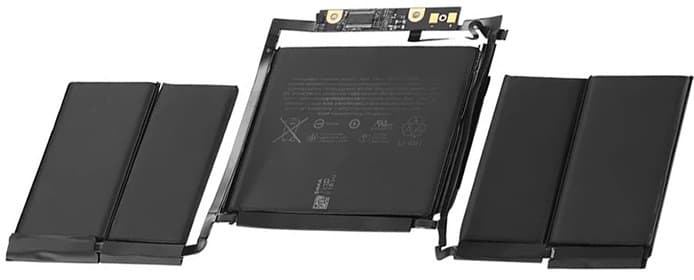
Illustrative example based on a typical repair we perform
The Transformation
Before & After Results
The customer, a software developer from Cyberjaya, noticed his MacBook Pro's trackpad wasn't clicking properly. Upon inspection, he discovered the battery had swollen significantly, causing the trackpad to bulge upwards and become non-functional. The MacBook wouldn't sit flat on his desk anymore. He was concerned about safety risks and potential damage to other components. He needed his laptop for work and couldn't afford days of downtime.
Battery swollen to 200% original size
Trackpad completely non-clickable
MacBook chassis warped - wouldn't sit flat
Safety risk from battery swelling
Reduced battery life (only 1.5 hours)
We treated this as a priority repair due to safety concerns with swollen batteries. Our technician immediately began the battery replacement process. We safely removed the dangerously swollen battery following proper hazardous material procedures. The trackpad was inspected and found to be undamaged but slightly bent from the pressure. We carefully reshaped the trackpad assembly back to specifications. A premium OEM-quality battery was installed, and the trackpad click mechanism was recalibrated to factory settings. We ran a full diagnostic to ensure the new battery was charging correctly and all power management systems were functioning properly.
Premium OEM-quality battery installed
10 hours battery life restored
Trackpad clicking perfectly
Chassis alignment corrected
All safety risks eliminated
Battery health at 100%
Repair Process
Step-by-Step Timeline
Safety Assessment
Evaluated battery swelling severity and safety risks before proceeding
Data Backup
Created safety backup of important files before opening device
Bottom Case Removal
Carefully removed bottom case - extra care due to battery pressure
Battery Disconnection
Safely disconnected battery from logic board using proper ESD procedures
Swollen Battery Removal
Careful removal of swollen battery following hazmat protocols
Trackpad Inspection
Detailed inspection and straightening of trackpad assembly
Chassis Cleaning
Thorough cleaning of battery compartment and contacts
New Battery Installation
Installation of premium OEM-quality battery with proper torque specifications
Trackpad Calibration
Recalibration of trackpad click mechanism and force touch sensitivity
Testing & Quality Check
Battery charging test, trackpad function test, and full system diagnostic
TechFix Technician
MacBook Hardware Specialist
Specialties
"Every repair we complete is done with the same care and precision we'd want for our own devices. Your trust is our responsibility."
— TechFix Technician
Repair services behind this case study
Facing a similar fault? These are the TechFix service pages that cover this kind of repair:
More Examples
Explore Similar Repairs