Lenovo Legion 5 Pro RAM Upgrade - 16GB to 32GB
Streamer's Legion 5 Pro stuttering during multi-tasking (OBS + game + Discord). Upgraded from 16GB to 32GB DDR4-3200 RAM. Eliminated stuttering, enabled smooth 1080p60 streaming.
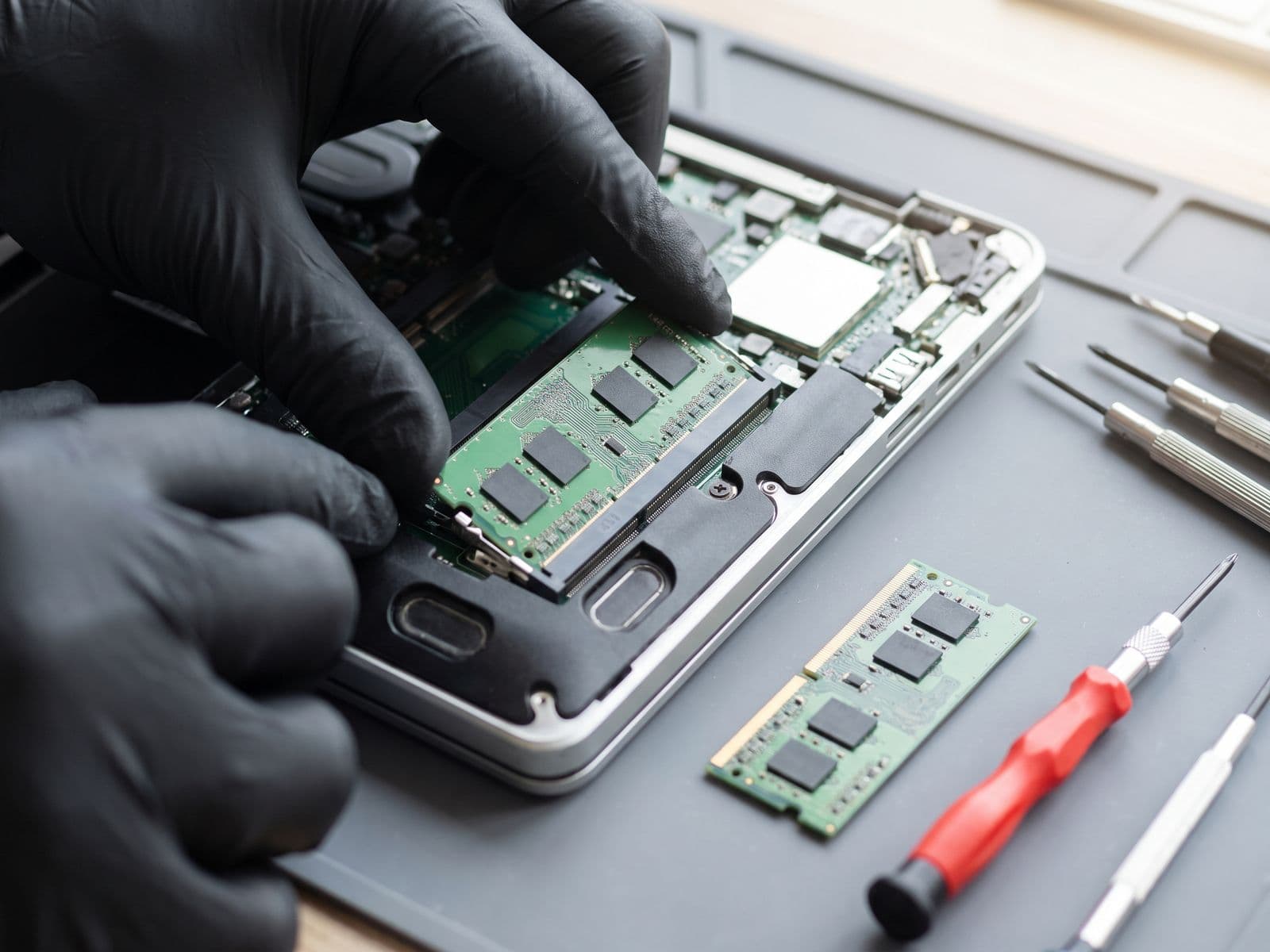
Illustrative example based on a typical repair we perform
The Transformation
Before & After Results
Severe stuttering during Twitch streaming. When running OBS (streaming software) + Warzone + Discord simultaneously, RAM usage hitting 98%. Frame drops from 120fps to 40fps. Stream buffering frequently.
RAM usage at 98% during streaming sessions
Severe FPS drops (120fps → 40fps) when streaming
OBS encoding lag causing stream buffering every 2-3 minutes
Warzone stuttering making gameplay unwatchable for viewers
Can't run Chrome, Spotify, Discord simultaneously with game
Upgraded from 16GB (2x8GB) DDR4-3200 to 32GB (2x16GB) DDR4-3200 CL22 (Crucial). Tested RAM compatibility and XMP profile. Eliminated bottleneck - now running all applications smoothly with headroom for Chrome tabs.
32GB RAM installed - usage now maxes at 55% during streaming
Stable 120fps in Warzone while streaming 1080p60 via OBS
Zero stream buffering - smooth encoding with headroom
Can run 20+ Chrome tabs, Spotify, Discord without impact
Upgrade completed in 30 minutes vs buying new RM 7,000 laptop
Repair Process
Step-by-Step Timeline
RAM Bottleneck Diagnosis
Opened Task Manager during customer's typical streaming setup (OBS + Warzone + Discord). RAM usage at 15.7GB / 16GB (98%). Identified as bottleneck. Recommended 32GB upgrade for headroom.
RAM Compatibility Check
Verified Legion 5 Pro supports up to 64GB DDR4-3200. Checked existing RAM specs with CPU-Z: 2x8GB SK Hynix DDR4-3200 CL22. Selected matching spec Crucial 32GB kit for compatibility.
RAM Removal
Legion 5 Pro has easy RAM access - removed 5 bottom screws and lifted panel. Pushed outward on RAM clips to release both 8GB sticks. Removed old modules from SO-DIMM slots.
New RAM Installation
Inserted new Crucial 16GB modules into both SO-DIMM slots at 30-degree angle. Pushed down until clips clicked into place. Ensured both modules seated properly - gold contacts fully inserted.
BIOS Verification
Booted to BIOS (F2 on startup). Verified system detecting 32GB (2x16GB) DDR4-3200. Confirmed XMP Profile enabled for rated 3200MHz speed (vs default 2400MHz).
Windows RAM Test
Booted to Windows. Task Manager showing 32GB installed. Ran MemTest86 for 1 pass to verify stability - 0 errors. RAM running at full 3200MHz with CL22 timings.
TechFix Technician
Gaming Laptop Upgrade Specialist
Specialties
"Every repair we complete is done with the same care and precision we'd want for our own devices. Your trust is our responsibility."
— TechFix Technician
More Examples
Explore Similar Repairs