ASUS ROG Strix G15 Overheating - Thermal Repaste & Cleaning
Esports player's ROG Strix G15 thermal throttling during tournaments. CPU hitting 98°C, GPU 92°C. Complete thermal system overhaul with liquid metal application dropped temps by 28°C.
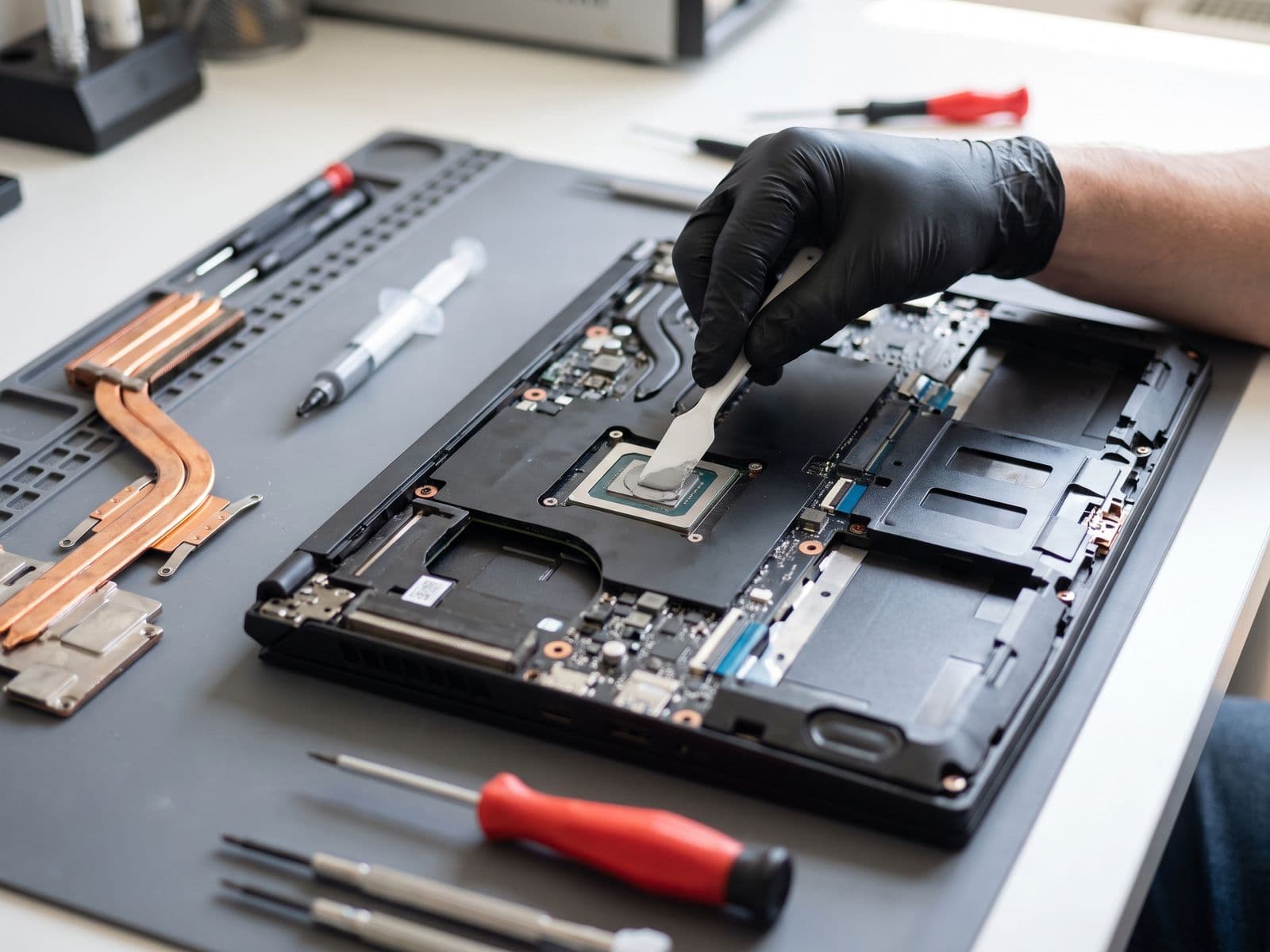
Illustrative example based on a typical repair we perform
The Transformation
Before & After Results
Severe thermal throttling during gaming. CPU temperature reaching 98°C, GPU 92°C causing FPS drops from 144fps to 60fps in Valorant. Fans running at 100% constantly. Laptop purchased 2 years ago, never serviced.
CPU thermal throttling at 98°C during competitive gaming
GPU hitting 92°C causing severe FPS drops (144fps → 60fps)
Fans screaming at 100% RPM constantly
Laptop too hot to touch near WASD keys
Performance degraded 40% compared to when new
Complete thermal system overhaul: removed factory thermal paste, applied Thermal Grizzly Conductonaut liquid metal to CPU/GPU, replaced all 6 thermal pads with high-grade 12.8 W/mK pads, ultrasonic cleaning of heatsink and fans, repasted VRM with high-performance paste.
CPU temps dropped to 70°C under load (-28°C improvement)
GPU stabilized at 68°C (-24°C improvement)
Sustained 165fps in Valorant competitive matches
Fan noise reduced 60% - now whisper quiet at idle
Keyboard deck cool to touch even during 3-hour gaming sessions
Repair Process
Step-by-Step Timeline
Thermal Diagnostic & Baseline Testing
Ran Heaven Benchmark and Cinebench R23 while monitoring with HWiNFO64. Documented baseline: CPU 98°C, GPU 92°C, VRM 87°C. Fans at 5200 RPM (100%). FPS drops confirmed due to thermal throttling.
Bottom Panel Removal
Removed 15 screws securing bottom panel. ROG Strix G15 has hidden clips near the hinge - carefully released them without cracking plastic. Revealed heavily dust-clogged heatsink fins.
Heatsink Removal & Inspection
Removed 12 screws in correct sequence (outside-in to prevent warping). Lifted dual-fan cooling assembly. Found dried, cracked factory thermal paste and dust matted in heatsink fins like felt.
Heatsink Deep Cleaning
Disassembled heatsink - separated fans and heatpipes. Ultrasonic cleaned heatsink fins in isopropyl alcohol to remove 2 years of dust and debris. Cleaned fans with compressed air and microfiber cloth.
Old Thermal Material Removal
Removed dried thermal paste from CPU/GPU dies using ArctiClean solution. Removed 6 old thermal pads from VRAM and VRM chips. Cleaned all mating surfaces to mirror finish.
Liquid Metal Application (CPU/GPU)
Applied Thermal Grizzly Conductonaut liquid metal to CPU and GPU dies. Used extremely thin layer - liquid metal is conductive so precision is critical. Protected surrounding components with kapton tape.
Thermal Pad Replacement
Measured and cut Gelid GP-Extreme thermal pads (12.8 W/mK) for VRAM modules and VRM components. Original pads were 1.5mm and 2.0mm thickness - matched exactly to ensure proper contact pressure.
Heatsink Reinstallation
Reinstalled cleaned heatsink assembly. Torqued screws in cross-pattern to ensure even mounting pressure. This prevents warping and ensures uniform contact across CPU/GPU dies.
Post-Repair Testing & Validation
Ran same benchmark suite. NEW TEMPS: CPU 70°C, GPU 68°C, VRM 62°C. Fans at 3100 RPM (60%). Ran 3DMark Time Spy - score improved from 8,840 to 10,320 (+16.7% performance gain).
Gaming Performance Verification
Customer tested Valorant competitive match - sustained 165fps with temps below 75°C. Previously throttling to 60fps. Customer extremely satisfied with keyboard deck now staying cool to touch.
TechFix Technician
Gaming Laptop Performance Specialist
Specialties
"Every repair we complete is done with the same care and precision we'd want for our own devices. Your trust is our responsibility."
— TechFix Technician
More Examples
Explore Similar Repairs