
Debunking the rice myth and revealing the actual iPhone water damage repair process. Learn what works, what doesn't, and success rates by exposure duration in Malaysia.
iPhone Water Damage Repair: The Truth Behind the Process
Drop your iPhone in water and the first advice you'll get is "put it in rice!" But here's what professional iPhone repair technicians at TechFix Malaysia want you to know: rice doesn't work, and it often makes things worse.
This guide reveals what actually happens during professional water damage repair and, more importantly, what you should do in those critical first hours.
The Rice Myth: Why It Doesn't Work (And Why It Harms Your iPhone)
What People Believe:
"Rice absorbs moisture, so it will dry out my wet iPhone."
What Actually Happens:
- Rice dust enters ports - Creates additional cleaning work
- Evaporation leaves corrosive residue - Water minerals stay on components
- False confidence delays proper repair - Oxidation continues internally
- Rice can't reach internal moisture - Water trapped under shields and ICs
The science: Rice has minimal desiccant properties. Silica gel works better, but even that doesn't solve the core problem: corrosion and residue.
What You Lose While Your iPhone Sits in Rice:
The longer water stays on the board, the more corrosion forms on connectors and under chips. Repairs get harder and are more likely to need parts or board-level work. Powering the phone on while it is still wet makes it worse.
Bottom line: Every hour in rice instead of professional cleaning reduces your iPhone's survival chances.
What NOT to Do After Water Damage
These actions dramatically reduce repair success rates:
DON'T Charge It
- Why: Electricity + water = short circuits and permanent damage
- We've seen: iPhones that were 90% repairable ruined by charging attempts
DON'T Use a Hair Dryer or Heat
- Why: Heat melts adhesives, warps components, and drives water deeper
- We've seen: Separated screens, damaged Face ID, bent logic boards
DON'T Shake or Blow Into Ports
- Why: Forces water into protected areas under shields
- We've seen: Water-free areas contaminated by vigorous shaking
DON'T Turn It On "Just to Check"
- Why: Powers circuits while wet, causes instant short circuits
- We've seen: Working iPhones killed by "quick test" after 1 day in rice
DON'T Wait "To See If It Dries"
- Why: Corrosion begins in 6-12 hours, accelerates after 24 hours
- We've seen: iPhones that needed only a cleaning end up needing logic board repair
What TO DO Immediately After Water Damage
Follow this TechFix emergency protocol to give your iPhone the best chance:
Within 1 Minute:
- Power off immediately - Hold side button + volume, slide to power off
- Remove case - Traps water against the device
- Remove SIM tray - Allows water drainage, reduces entry points
- Wipe external water - Use absorbent cloth, don't shake
- Position iPhone upright - Lightning/USB-C port facing DOWN to drain
Within 1 Hour:
- Place in DRY location with airflow - Room temperature, fan nearby (not on high)
- Contact professional repair service - Every hour counts
- Do NOT plug in or turn on - Resist all urges to test
Within 24 Hours:
- Get professional ultrasonic cleaning - Only proven method to remove corrosive residue
- Full diagnostic and component testing - Identify damaged parts before they fail later
The Actual iPhone Water Damage Repair Process
Here's what happens when you bring your water-damaged iPhone to TechFix Malaysia:
Stage 1: Triage Assessment (15 minutes)
Visual inspection and history:
- Water type identification (fresh, salt, liquid with sugar/chemicals)
- Exposure duration and immediate actions taken
- Whether device was powered on during/after exposure
- External corrosion visible in ports
Liquid Contact Indicators (LCI) check:
- Small indicators inside ports turn red when exposed to water
- Helps confirm water damage and affected areas
- iPhone 14/15 have indicators in SIM tray and Lightning/USB-C port
Initial prognosis:
- Survival probability estimate
- Expected repair tier (cleaning only, cleaning + parts, logic board repair)
- Cost estimate range
Stage 2: Disassembly and Documentation (30 minutes)
Complete teardown:
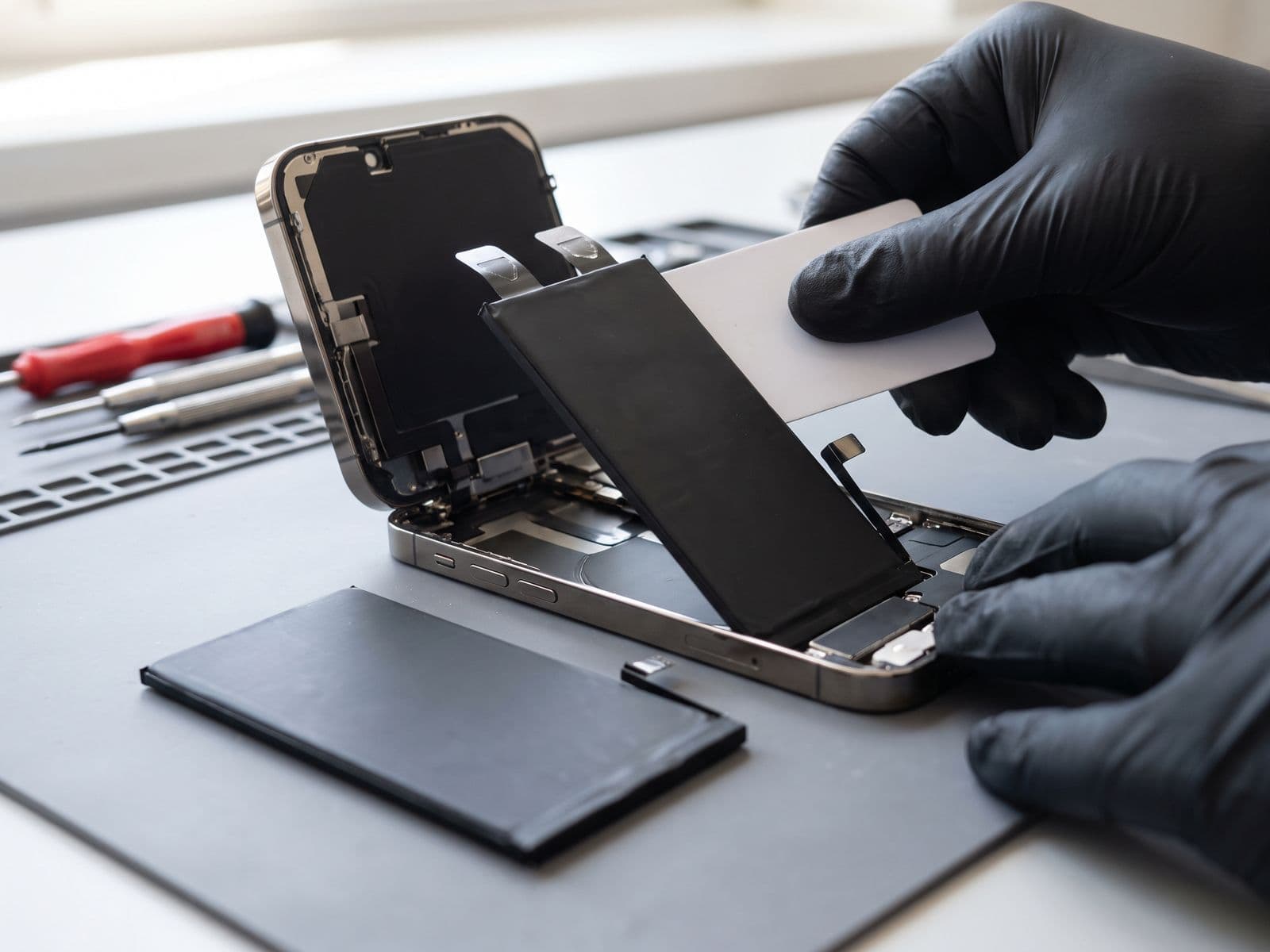
- Screen removal and connector inspection
- Battery disconnection (prevents any power flow)
- Component removal (cameras, speakers, Taptic Engine)
- Logic board extraction
- Shield removal for full component access
Internal damage mapping:
- Photograph all corrosion points
- Note any burn marks or discoloration
- Check for swollen battery (common with water damage)
- Document all liquid penetration points
Stage 3: Ultrasonic Cleaning (45-60 minutes)
The most critical step - this is what separates professional repair from "rice in bag":
What is ultrasonic cleaning?
- Industrial-grade equipment using 40-45kHz sound waves
- Creates microscopic bubbles (cavitation) in cleaning solution
- Bubbles implode with extreme force at microscopic scale
- Dislodges contaminants from under components without physical contact
Our process:
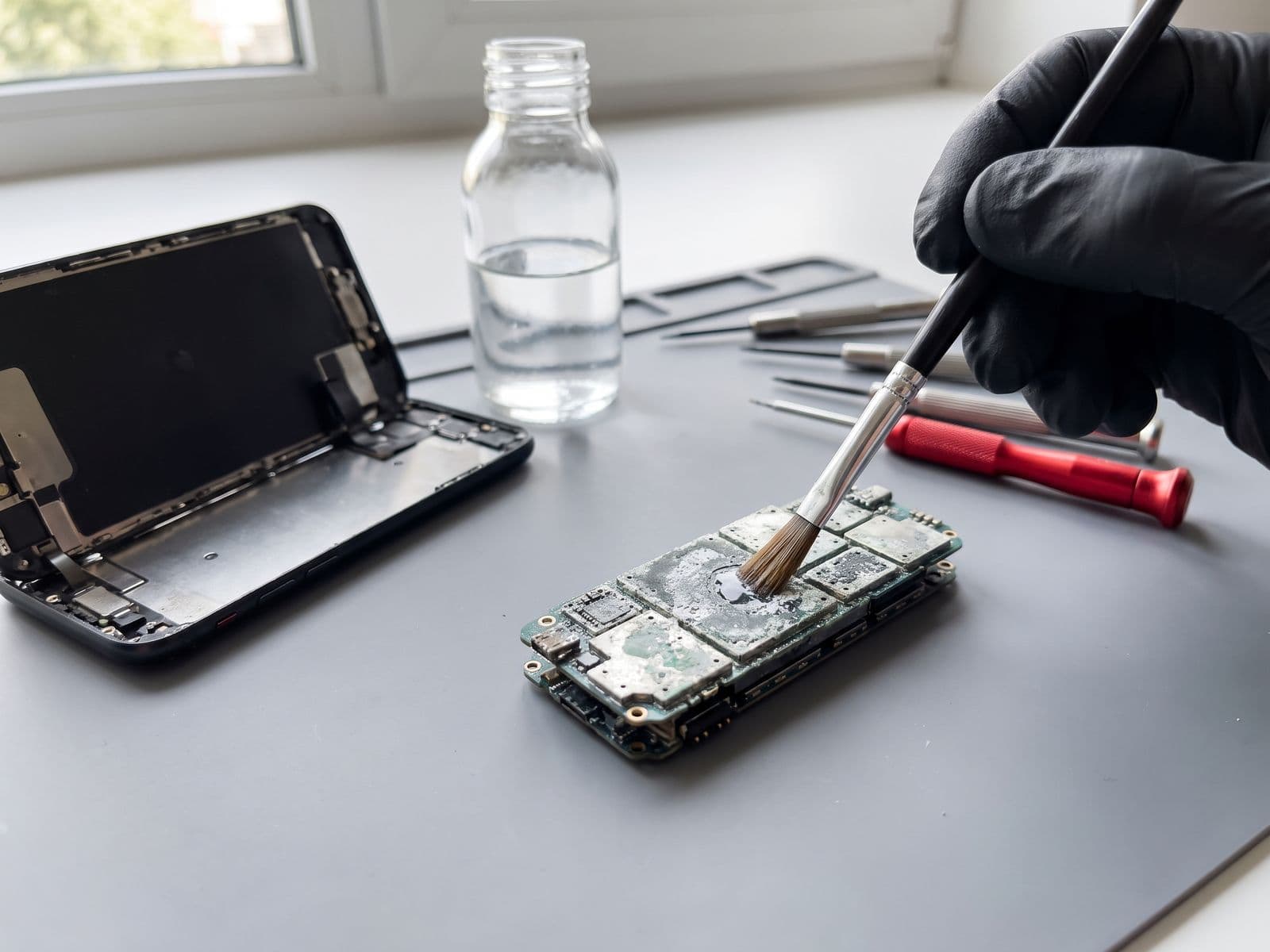
- First bath: 99% isopropyl alcohol (IPA) - Removes water, oils, residue
- Second bath: Specialized flux remover - Eliminates corrosive minerals
- Brush cleaning: Manual removal of stubborn corrosion with specialized brushes
- Compressed air drying: Removes all liquid from under components
- Inspection under microscope: Verify complete cleaning
Why ultrasonic is essential:
- Traditional cleaning misses contaminated areas under components
- Corrosion under IC chips impossible to reach manually
- Even invisible residue causes failures weeks later
Stage 4: Component Testing (30-45 minutes)
Systematic power-on testing:
Before reassembly, we test with specialized equipment:
- Visual inspection under microscope - Check for remaining corrosion
- Power rail testing - Ensure no short circuits before applying power
- Controlled power-on - Using DC power supply with current limiting
- Component-by-component activation - Touch, screen, cameras, Face ID
- Sensor verification - Proximity, ambient light, accelerometer
- Connectivity testing - WiFi, Bluetooth, cellular signal
- Audio testing - Speaker, microphone, earpiece
- Charging test - Port functionality and battery charging
Stage 5: Component Replacement (If Needed)
Commonly damaged components by water exposure:
| Component | Replacement Cost | Symptom |
|---|---|---|
| Battery | Quote after diagnosis | Won't hold charge, swelling |
| Charging Port | Quote after diagnosis | Won't charge, intermittent connection |
| Display Connectors | Quote after diagnosis | Lines, flickering, no display |
| Cameras | Quote after diagnosis | Foggy, black screen, won't focus |
| Face ID Module | Quote after diagnosis* | Face ID unavailable |
| Logic Board Traces | Quote after diagnosis | Various failures, requires micro-soldering |
| WiFi/Bluetooth IC | Quote after diagnosis | No wireless connectivity |
*Face ID uses paired components - replacement restores function but may lose Face ID permanently on some models
Stage 6: Reassembly and Final Testing (45 minutes)
Quality control protocol:
- Complete device reassembly with new seals
- 30-minute full functionality test
- 24-hour observation period (when possible) to catch delayed failures
- New adhesive seal fitted (original water resistance cannot be guaranteed after opening)
- Battery health and performance verification
- Software diagnostics and full reset
What Affects the Outcome
We do not publish success-rate figures, because every device is different. The main factors are:
- Water type: Salt water, sugary drinks and chlorinated water are harder on components than tap water, and cleaning is more urgent.
- Response time: The sooner the phone is powered off and cleaned, the less corrosion forms and the more likely a cleaning is enough.
- Model and seal age: Newer models have better sealing, but seals degrade over time.
Important: IP ratings apply to new devices with intact seals. Drop damage, previous repairs, or aging (2+ years) significantly reduces water resistance, and water damage is not covered by Apple's warranty.
Cost Breakdown: iPhone Water Damage Repair Malaysia
Tier 1: Cleaning Only (Best Case)
Cost: RM 249-349 (final quote after diagnosis)
- Ultrasonic cleaning
- Component testing
- Reassembly with new seals
- 90-day warranty
- Turnaround: Same day to 24 hours
Tier 2: Cleaning + Component Replacement
Cost: From RM 599 (final quote after diagnosis)
- Everything in Tier 1, plus:
- Battery replacement
- Charging port replacement or camera module
- Extended testing period
- 90-day warranty
- Turnaround: 1-3 days
Tier 3: Cleaning + Logic Board Repair
Cost: From RM 799 (final quote after diagnosis)
- Everything in Tier 2, plus:
- Micro-soldering repairs
- IC chip replacement or trace repair
- Multiple component replacements
- 90-day warranty on repaired areas
- Turnaround: 3-7 days
Not Economically Repairable
Occurs when: Repair cost exceeds 70% of replacement value
- Severe logic board damage
- Multiple critical components damaged
- Corrosion-damaged layers inside logic board
Alternative: We can help confirm whether recent backups exist and advise the safest transfer path to a replacement device.
Frequently Asked Questions
Q: Will my iPhone water damage be covered by warranty or insurance?
A: Apple warranty does NOT cover water damage, even on water-resistant models (IP rating is not a warranty). Check your insurance policy - some plans cover accidental damage.
Q: Can water-damaged iPhone be fully restored?
A: If repaired within 24 hours with professional cleaning, the odds are much better. However, long-term reliability may be reduced compared with an undamaged device.
Q: Should I do DIY ultrasonic cleaning at home?
A: No. Consumer ultrasonic cleaners lack proper frequency and solution. Incorrect DIY ultrasonic cleaning attempts can further damage the phone.
Q: My iPhone works after drying - do I still need professional cleaning?
A: YES. This is critical. Corrosion is actively progressing even if the phone works. We see "working" water-damaged iPhones die suddenly 2-6 weeks later when corrosion finally bridges critical connections. Get it cleaned NOW, while a cleaning may be enough, rather than later when components fail and the repair gets bigger.
Q: Can Face ID or Touch ID be recovered after water damage?
A: Touch ID: Usually yes, if home button wasn't directly damaged. Face ID: More vulnerable in severe water damage. Face ID uses paired components that can't be replaced without losing functionality. If Face ID hardware is damaged, you'll need to use passcode long-term.
Q: How long should I wait before turning on my iPhone after water exposure?
A: DON'T turn it on yourself. Bring it to us powered off. We'll do controlled power-on after professional cleaning. "Testing" your iPhone is the #1 cause of repairable water damage becoming unrepairable.
Prevent Water Damage: Practical Tips for Malaysia
For Beach/Pool:
- Use waterproof pouch even for water-resistant iPhones
- Rinse with fresh water immediately if exposed to salt/chlorine
- Don't rely on IP rating for swimming/diving
For Humid Malaysian Climate:
- Don't leave iPhone in car (condensation from AC temperature cycling)
- Use silica gel packets in storage areas
- Wipe down daily if you work outdoors
For Monsoon Season:
- Waterproof bag for commute
- Do not rely on water resistance if you are near water frequently; seals age
- Consider tempered glass protector - adds minor water resistance
After Any Repair:
- Water resistance seals are compromised after screen/battery replacement
- Original water resistance cannot be guaranteed after any repair, even with a new seal (we fit a new seal)
- Avoid beach, pool and shower exposure after a repair
Get Professional iPhone Water Damage Repair in Malaysia
Time is your iPhone's worst enemy after water exposure. Every hour counts.
TechFix Malaysia offers the only iPhone water damage repair protocol in Klang Valley with:
- Industrial ultrasonic cleaning (not available at mall kiosks)
- Microscope-level inspection and precision cleaning
- Micro-soldering capabilities for logic board damage
- Component-level testing before reassembly
- 90-Day Warranty on all water damage repairs
Sunway Geo Avenue, Subang Jaya
G-06-28, Level 6, Block G, Sunway Geo Avenue Walk-ins for water damage prioritized | Open Mon-Fri 9AM-6PM
Courier-in service
Courier your device to us; we courier it back free | WhatsApp first to confirm timing
URGENT? WhatsApp us immediately: 012-770 7120
Text "WATER DAMAGE" + your iPhone model for priority slot. We'll respond within 10 minutes during business hours.
Book emergency water damage repair - We prioritize water damage cases for same-day service when you arrive within business hours.
Don't let rice destroy your iPhone's chances. Get professional help within 24 hours.