
Complete guide to Apple Watch battery replacement costs in Malaysia. Prices for Series 4-9, SE, Ultra 1&2 from our price list, quote after diagnosis where no price is listed. Replacement vs third-party batteries, battery health monitoring, and tips to extend battery life.
Apple Watch Battery Replacement Malaysia 2026: What You Need to Know
Is your Apple Watch dying before the day ends? Battery degradation is the most common issue affecting Apple Watch users after 2-3 years of daily use. In Malaysia's hot and humid climate, battery wear can accelerate even faster. This comprehensive guide covers everything you need to know about Apple Watch battery replacement in 2026, including pricing, quality options, and how to maximize your new battery's lifespan.
Quick Price Overview
| Apple Watch Model | Battery Replacement Cost | Turnaround Time |
|---|---|---|
| Apple Watch Series 4 (40mm/44mm) | RM 380 | Same day |
| Apple Watch Series 5 (40mm/44mm) | RM 380 | Same day |
| Apple Watch Series 6 (40mm/44mm) | RM 380 | Same day |
| Apple Watch SE (40mm/44mm) | RM 380 | Same day |
| Apple Watch Series 7 (41mm/45mm) | RM 380 | Same day |
| Apple Watch Series 8 (41mm/45mm) | RM 380 | Same day |
| Apple Watch Series 9 (41mm/45mm) | RM 380 | Same day |
| Apple Watch Series 10 (42mm/46mm) | Quote after diagnosis | Confirmed at diagnosis |
| Apple Watch SE 2 (40mm/44mm) | RM 380 | Same day |
| Apple Watch Ultra (49mm) | RM 480 | 1-2 days |
| Apple Watch Ultra 2 (49mm) | RM 480 | 1-2 days |
Prices include the battery, installation, testing, and 90-day warranty, and come from the current price list. A model with no listed price is quoted after diagnosis, and no work starts until you approve the quote. Walk-in service is available at TechFix Sunway Geo, with courier-in service for customers who cannot visit (we courier it back free).
Signs Your Apple Watch Battery Needs Replacement
Recognizing these symptoms early can prevent unexpected shutdowns and data loss:
1. Rapid Battery Drain
- Watch dies before the end of the day with normal use
- Battery percentage drops 10-20% within an hour of light use
- Previously lasting 18-24 hours, now barely reaches 8-10 hours
2. Unexpected Shutdowns
- Watch powers off at 20-40% battery remaining
- Random restarts during normal use
- Won't turn on without being plugged in
3. Slow or Incomplete Charging
- Takes 4+ hours to fully charge (normally 2-3 hours)
- Charging stops at 80% or lower
- Charging percentage fluctuates while connected
4. Physical Battery Swelling
- Watch back feels raised or doesn't sit flush on wrist
- Gap visible between display and case
- Display appears lifted or separated
5. Excessive Heat During Use
- Watch feels warm during basic tasks (checking time, notifications)
- Hot to touch during charging
- Temperature warnings appear frequently
How to Check Apple Watch Battery Health
Before deciding on battery replacement, check your current battery health:
Method 1: On Your Watch
- Open Settings app on your Apple Watch
- Scroll down and tap Battery
- Tap Battery Health
- Check Maximum Capacity percentage
Method 2: On Your iPhone
- Open Watch app on paired iPhone
- Tap My Watch tab
- Go to Battery → Battery Health
- View Maximum Capacity
Battery Health Interpretation:
- 100-95%: Excellent - no replacement needed
- 94-85%: Good - monitor performance
- 84-80%: Fair - consider replacement if experiencing issues
- Below 80%: Poor - replacement recommended
Apple considers a battery "consumed" at 80% maximum capacity, meaning it no longer holds sufficient charge for all-day use.
Replacement Battery vs Third-Party: What's the Difference?
Understanding your options helps you make an informed decision:
Replacement Battery (What TechFix Uses)
TechFix supplies all parts, so there is no bring-your-own-battery option.
Advantages:
- Specifications matched to your watch model
- Full compatibility with watchOS battery management
- New adhesive seal fitted on reassembly (original water resistance not guaranteed after opening)
- Covered by 90-Day Warranty
Third-Party Aftermarket Battery
Advantages:
- Lower upfront cost
- Faster availability
Disadvantages:
- Unknown manufacturing quality
- Often a shorter lifespan
- May not match original capacity
- Risk of compatibility issues
- Limited or no warranty
TechFix Recommendation: Your Apple Watch is a health and safety device, so battery quality matters. It directly affects heart rate monitoring accuracy, emergency SOS functionality, and overall reliability.
Apple Watch Battery Replacement Process at TechFix
Our technicians follow a 7-step process:
Step 1: Comprehensive Diagnostics (15 minutes)
- Battery health verification
- Charging system testing
- Software diagnostic scan
- Water damage inspection
Step 2: Data Backup Recommendation
- We don't access your data, but recommend iCloud backup
- Unpair watch from iPhone (preserves settings)
- Health data automatically backed up
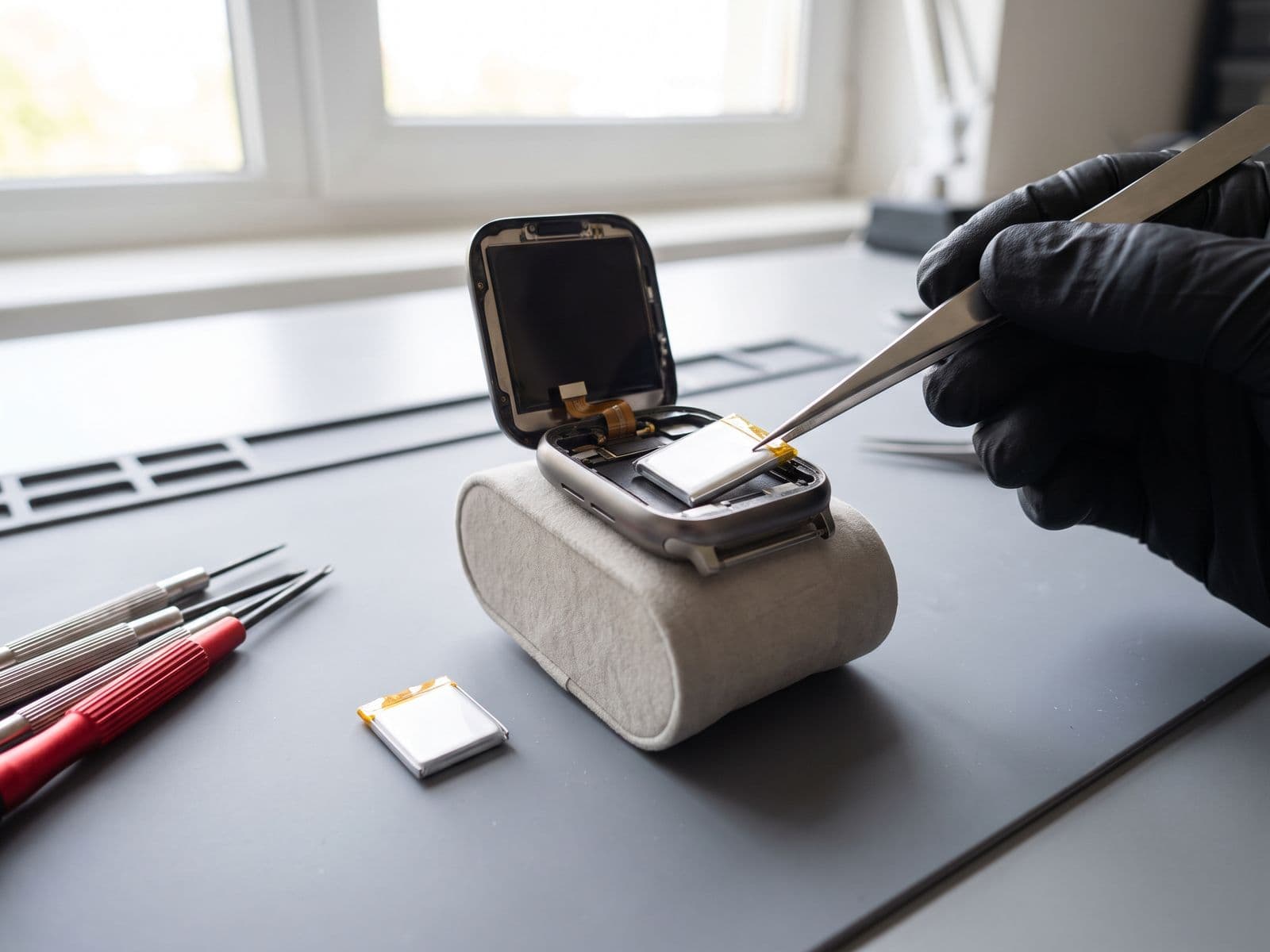
Step 3: Careful Disassembly (20 minutes)
- Precision heat application to soften adhesive
- Display removal without damage
- Battery connector disconnection
Step 4: Battery Replacement (15 minutes)
- Old battery safe removal
- Replacement battery installation
- Adhesive and seal application
Step 5: Reassembly & Sealing (20 minutes)
- Display reattachment
- New adhesive seal fitted (original water resistance cannot be guaranteed after opening)
- Quality inspection
Step 6: Calibration & Testing (30 minutes)
- Full charge cycle
- Battery management system calibration
- Heart rate sensor verification
- Charging test
Step 7: Final Quality Check (10 minutes)
- All sensors tested
- Battery health reading confirmed
- 90-Day Warranty documentation
Total Time: same day for most models, 1-2 days for Ultra models
Price Comparison
Compare our listed price in the table above with a written quote from Apple or any other provider for your exact model. Prices change, so use current quotes rather than a figure from an article.
Tips to Extend Your New Battery's Lifespan
Maximize your investment with these expert recommendations:
Optimal Charging Habits
DO:
- Charge when battery reaches 20-30%
- Remove from charger at 90-95% when possible
- Use Apple MFi-licensed chargers only
- Charge in cool, ventilated areas
DON'T:
- Let battery drain to 0% regularly
- Leave on charger overnight constantly
- Charge in direct sunlight or hot cars
- Use cheap third-party chargers
Temperature Management (Critical in Malaysia)
Ideal Operating Temperature: 0°C to 35°C
Malaysia Climate Considerations:
- Remove watch when in hot cars (can exceed 50°C)
- Avoid direct sunlight exposure during outdoor activities
- Let watch cool down before charging after exercise
- Don't charge immediately after coming in from heat
Software & Settings Optimization
Reduce Battery Drain:
- Lower screen brightness (Settings → Display & Brightness)
- Enable "Wake Screen on Wrist Raise" only when needed
- Disable always-on display if not essential (Series 5+)
- Limit workout GPS use (pair with iPhone for GPS)
- Turn off unnecessary notifications
- Disable background app refresh for unused apps
Daily Care Practices
Maintenance Tips:
- Clean charging contacts weekly (remove dirt/sweat)
- Keep watchOS updated (includes battery optimizations)
- Restart watch weekly (clears memory leaks)
- Disable unused health sensors (blood oxygen if not needed)
- Use Theater Mode during meetings/movies
Warranty Coverage for Battery Replacements
Understanding warranty terms protects your investment:
TechFix Malaysia 90-Day Warranty Covers:
- Battery defects or premature failure
- Installation workmanship
- Charging issues related to battery
Warranty Does NOT Cover:
- Physical damage after service (drops, cracks)
- Water damage from submersion beyond rating
- Software issues unrelated to battery
- Normal battery capacity degradation over time
Apple Original Warranty:
- 1-year limited warranty covers battery defects
- AppleCare+ extends to 2 years
- Coverage only if battery capacity drops below 80% during warranty
- Does NOT cover normal wear and degradation
Important: If your Apple Watch is still under Apple warranty and battery health is below 80%, contact Apple first for free replacement eligibility.
Same-Day Service Availability
We understand how essential your Apple Watch is to your daily routine:
TechFix Sunway Geo Avenue Location
- Walk-in service: Mon-Fri 9am - 6pm (closed Sat & Sun)
- Typical turnaround: same day for most models, 1-2 days for Ultra
- While-you-wait service available
- Diagnostic fee waived if repair proceeds
Klang Valley and elsewhere
- Courier your device to us and we courier it back free
- WhatsApp us before sending so we can confirm parts and timing
For pricing across all models and a full overview of what we fix, visit our Apple Watch repair service page.
Booking Recommended:
- Visit techfix.my/booking
- WhatsApp: 012-770 7120
- E-mel: fix@techfix.my
Frequently Asked Questions
Q: How long does Apple Watch battery replacement take at TechFix? A: Most Apple Watch battery replacements are completed the same day. Ultra models take 1-2 days due to additional complexity. We offer while-you-wait service at Sunway Geo, with courier-in service for customers who cannot visit (we courier it back free).
Q: Will I lose my data during battery replacement? A: No, battery replacement doesn't affect your data storage. However, we recommend unpairing your Apple Watch from your iPhone before service, which automatically backs up your settings and health data to iCloud. You can restore everything when you re-pair after service.
Q: Do you use original Apple batteries? A: TechFix supplies all parts. Original Apple parts are only available through Apple Authorized Service Providers, and we do not accept customer-supplied batteries because your Apple Watch is a health and safety device.
Q: What's included in the 90-day warranty? A: Our 90-Day Warranty covers the replacement battery and installation workmanship. If you experience any battery-related issues within 90 days, we'll repair or replace the battery at no additional charge.
Q: How long does an Apple Watch Ultra battery replacement take? A: Ultra battery replacements typically take 1-2 days at our Sunway workshop, because the Ultra has a larger battery and more complex assembly. We confirm timing at diagnosis.
Q: How long will my new battery last? A: Battery life depends on usage, charging habits and temperature. In Malaysia's climate, following our temperature management tips is essential for longevity.
Q: Is water resistance affected after battery replacement? A: Yes, it can be. We fit a new adhesive seal when the watch is closed, but the original water resistance cannot be guaranteed after the watch has been opened, so please avoid water exposure. Avoid swimming, showering and submersion after a battery replacement.
Q: Can I upgrade to a higher capacity battery? A: No, Apple Watch batteries are specifically engineered for each model. There are no "higher capacity" options. We fit a battery specified for your model to ensure safety and compatibility.
Book Your Apple Watch Battery Replacement Today
Don't let a dying battery disrupt your health tracking, notifications, and daily routine. TechFix Malaysia offers battery replacements with a 90-Day Warranty.
Reserve Your Appointment:
- Online booking: techfix.my/booking
- WhatsApp: 012-770 7120
- Call: 017-355 5725
- E-mel: fix@techfix.my
Our Locations:
📍 Sunway Geo Avenue G-06-28, Level 6, Block G Jalan Lagoon Selatan, Sunway South Quay 47500 Subang Jaya, Selangor Open: Mon-Fri 9am - 6pm (closed Sat & Sun)
📍 Klang Valley and elsewhere Courier your device to us — we'll courier it back to you free. WhatsApp us before sending your Apple Watch so we can confirm battery stock and timing.
Sunway walk-ins welcome. Diagnostic fee waived if the repair proceeds.