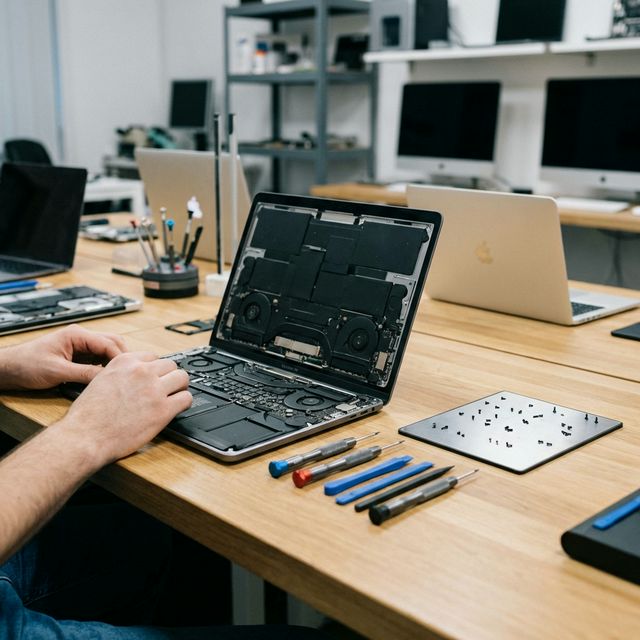
Masih guna Hard Drive biasa? Tukar ke SSD adalah cara #1 untuk lajukan laptop lembab. Panduan harga dan kelebihan.
Upgrade SSD: Cara Paling Berkesan Lajukan Laptop Lama
Laptop anda ambil masa 5 minit untuk on? Browser buka perlahan? Fail Excel lambat nak save? Sebelum anda belanja RM 3,000 untuk laptop baru, ada satu upgrade mudah yang boleh buat laptop lama anda rasa seperti baru — upgrade SSD.
Ini bukan tipu. Ini sains komputer yang mudah difahami.
Kenapa Laptop Lama Menjadi Lembab?
Kebanyakan laptop yang dijual sebelum tahun 2019 masih menggunakan HDD — Hard Disk Drive. Ia adalah cakera logam berpusing yang menyimpan data secara fizikal dengan jarum pembaca. Teknologi ini sudah berusia 60 tahun dan reka bentuknya ada had yang nyata.
Apabila Windows atau macOS membesar dari kemas kini demi kemas kini, keperluan storan dan kelajuan baca-tulis data meningkat. HDD lama tidak mampu mengejar keperluan semasa — dan hasilnya adalah laptop yang terasa semakin lembab walaupun perkakasannya masih baik.
HDD vs SSD: Beza yang Ketara
| Perkara | HDD (Lama) | SSD (Baharu) |
|---|---|---|
| Teknologi | Cakera logam berputar | Cip memori flash (tiada bahagian bergerak) |
| Kelajuan baca | 80-120 MB/s | 500-3,500 MB/s |
| Masa boot Windows | 2-5 minit | 8-15 saat |
| Buka Chrome | 10-20 saat | Serta-merta |
| Tahan lasak | Sensitif gegar dan jatuh | Tahan lasak, tiada bahagian bergerak |
| Haba | Lebih panas | Lebih sejuk |
Perbezaan 500 MB/s berbanding 80 MB/s bermakna SSD membaca data 6 kali lebih cepat. Dalam penggunaan harian, ini terasa sangat ketara.
Kos Upgrade SSD (Harga 2026)
Harga SSD di Malaysia sudah jatuh banyak dalam 2 tahun terakhir. Inilah anggaran kos termasuk memasang dan memindahkan data:
| Kapasiti | Harga Anggaran (Termasuk Pasang) | Sesuai Untuk |
|---|---|---|
| 256GB SSD | RM 180 - RM 220 | Kerja pejabat, pelajar |
| 512GB SSD | RM 250 - RM 310 | Pengguna biasa, multimedia |
| 1TB SSD | RM 350 - RM 450 | Gamer, content creator |
| 2TB SSD | RM 550 - RM 700 | Penyimpanan besar |
"Macam Mana Data Saya? Kena Install Semula Windows?"
Ini soalan yang paling kerap kami terima. Jawapannya: tidak perlu install semula apa-apa.
Kami tawarkan perkhidmatan Migration Cloning — iaitu menyalin kandungan HDD lama ke SSD baru sebiji-sebiji:
- Kami sambungkan HDD lama dan SSD baru serentak ke peranti kloning.
- Perisian kloning salin setiap sektor data — Windows, fail peribadi, akaun, tetapan, aplikasi, wallpaper, semua sekali.
- SSD baru dipasang masuk ke laptop.
- Anda hidupkan laptop — ia boot dalam masa 10 saat, dan semua data anda ada seperti sedia kala.
Anda tidak perlu masukkan semula satu pun kata laluan.
Adakah Laptop Lama Anda Masih Berbaloi Diupgrade?
Bergantung pada processor dan RAM yang ada. Panduan mudah:
- i5 Gen 4 ke atas (2013 ke atas) + 8GB RAM: Sangat berbaloi. SSD akan buat ia terasa seperti laptop 2022.
- i3 atau Celeron + 4GB RAM: Upgrade SSD masih bantu, tapi pertimbangkan tambah RAM sekali untuk hasil yang lebih baik.
- Processor ARM (Qualcomm Snapdragon lama): Hubungi kami untuk penilaian dulu.
Kos upgrade SSD jauh lebih murah dari beli laptop baru RM 2,500 ke RM 3,500. Dan anda simpan data serta persekitaran kerja yang dah biasa.
Berapa Lama Prosesnya?
Cloning dan pemasangan mengambil masa 1 hingga 3 jam bergantung pada saiz data. Kebanyakan pelanggan boleh tinggalkan laptop dan ambil balik petangnya.
Untuk maklumat lanjut, lawati halaman repair laptop Malaysia kami. Boleh juga buat tempahan online untuk jaminan slot.
Soalan Lazim Tentang Upgrade SSD
Boleh saya guna laptop semasa proses cloning? Tidak. Anda perlu tinggalkan laptop dengan kami selama 1 hingga 3 jam semasa proses cloning dan pemasangan. Kami sarankan tinggalkan pada waktu pagi dan ambil petangnya.
Apa jadi dengan HDD lama saya? HDD lama kami keluarkan dan anda boleh ambil balik sebagai storan luaran menggunakan enclosure (RM 30 hingga RM 50 tambahan). Atau kami boleh buang dengan selamat kalau anda tidak perlukan.
Adakah semua data saya akan berpindah 100%? Ya, cloning adalah proses salinan sektor demi sektor. Semua data, aplikasi, tetapan, dan fail akan ada. Perbezaan satu-satunya ialah kelajuan yang meningkat drastik.
Laptop saya ada 2 slot storan. Boleh saya simpan HDD lama dan tambah SSD baru? Ya! Ini pilihan terbaik. Anda boleh pasang SSD sebagai boot drive (untuk Windows dan aplikasi) dan kekalkan HDD lama sebagai storan fail. Anda dapat kelajuan dan kapasiti lebih besar.
SSD vs NVMe: Mana Sesuai untuk Laptop Anda?
Selain SSD SATA biasa, ada pilihan yang lebih laju lagi untuk laptop yang lebih baru: NVMe SSD (juga dipanggil M.2 SSD).
| Jenis | Kelajuan Baca | Sesuai Untuk |
|---|---|---|
| HDD lama | 80-120 MB/s | Sudah lapuk, perlu upgrade segera |
| SSD SATA | 500-550 MB/s | Laptop 2012-2018 kebanyakan |
| NVMe SSD | 1,500-3,500 MB/s | Laptop 2018 ke atas dengan slot M.2 |
Kalau laptop anda ada slot M.2 NVMe, upgrade ke NVMe akan memberikan perbezaan ketara terutama untuk video editing, kerja dengan database besar, atau run banyak aplikasi serentak. Kos NVMe SSD sedikit lebih tinggi dari SSD SATA tapi masih jauh lebih jimat dari beli laptop baru.
Tips Mengekalkan Prestasi SSD Selepas Upgrade
- Jangan penuhkan SSD melebihi 80%: SSD perlukan ruang kosong untuk operasi dalaman (TRIM). Kekalkan sekurang-kurangnya 15-20% ruang kosong.
- Elak defragment SSD: Defragment adalah untuk HDD sahaja. Ia memendekkan jangka hayat SSD secara tidak perlu.
- Aktifkan TRIM: Windows 10 dan 11 aktifkan TRIM secara automatik. Semak dengan taip "fsutil behavior query DisableDeleteNotify" dalam Command Prompt — hasil "0" bermakna TRIM aktif.
- Simpan fail media pada HDD lama: Jika anda ada dua slot, simpan video, muzik, dan foto besar pada HDD lama. Simpan Windows, aplikasi, dan dokumen kerja pada SSD.
WhatsApp: 017-355 5725. Kami ada di Sunway dan Cyberjaya.