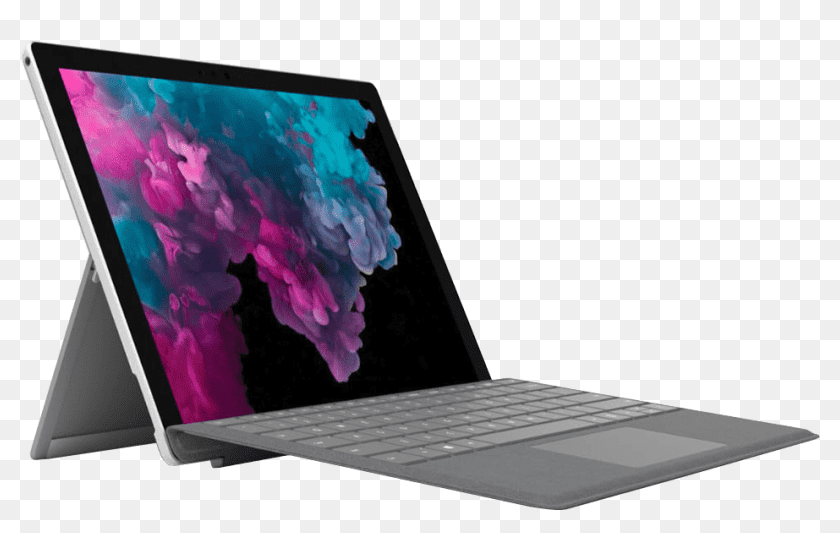
Surface Pro 4/5/6 screen shaking, scrambling or flickering when hot? This is the "Flickergate" hardware flaw — no software fix exists. Permanent screen replacement from RM450 at TechFix Sunway. 90-day warranty.
"Flickergate": The Surface Pro Screen Scramble Explained
Does your Surface Pro screen start shaking, doubling images, or turning into a blurry mess after 1-2 hours of use? You are experiencing a well-documented hardware defect known as "Flickergate" — and you are not alone. Thousands of Surface Pro 4 and some Pro 5 users in Malaysia have dealt with this exact issue.
This post explains what causes the scrambling, why every software fix fails, and what the actual permanent solution is.
What Does "Flickergate" Look Like?
The symptoms are distinctive enough that once you see them, you know exactly what is wrong:
- Screen jittering or shaking — the display vibrates horizontally
- Doubled images — content appears ghosted or split
- Scrambled pixels — random blocks of colour or noise appear
- Works after cooling — put it in front of an air-con vent or restart, it is fine for another hour
That last point is the diagnostic key. If your screen scrambles when hot and recovers when cool, you have Flickergate. If your screen is always scrambled from the moment you turn it on, that is a different problem (likely a damaged cable or cracked LCD — check our Surface repair page for more).
The Root Cause: A Flawed Display Controller
The Surface Pro 4's original LCD panel uses a display controller IC (integrated circuit) that was not adequately rated for the sustained heat the device generates during normal use. Intel's Core i5/i7 processors produce significant heat in a device this thin, and the panel's controller chips sit close to the heat zone.
Here is what happens at a hardware level:
- You start using the Surface Pro 4 normally — web browsing, Office, Teams
- The CPU warms up to 60–80°C operating temperature
- Heat spreads through the chassis to the display assembly
- The display controller IC reaches its thermal threshold
- Sync timing between the panel and the display controller fails
- Result: scrambled, flickering, or doubled output
Microsoft acknowledged this issue and extended the warranty for affected devices globally. However, the extended warranty period has long expired for most units, and devices are still actively being used across Malaysia, particularly in corporate and education settings.
Why Every Software Fix Fails
Search any forum and you will find suggestions:
- Update your Surface drivers — does not work
- Disable Hyper-V — temporary placebo at best
- Change display resolution — no effect on the hardware failure
- Roll back display drivers — the issue is the panel IC, not the driver
- Reinstall Windows — wastes your time completely
None of these work because the problem is physical degradation of a chip on the screen assembly itself. No amount of software can fix a thermally compromised hardware component. Once the chip has degraded, it will fail sooner at progressively lower temperatures until it fails permanently.
The Permanent Fix: Screen Replacement with an Upgrade
The only real solution is replacing the LCD assembly. But here is where it gets interesting for Surface Pro 4 users specifically.
The Techfix Pro 4 Upgrade
The Surface Pro 4 and Surface Pro 5 use similar physical dimensions. We use a modified flex cable to install a Surface Pro 5 LG panel into a Surface Pro 4 chassis. Microsoft addressed the Flickergate issue in the Pro 5's display controller design.
The result:
- No more flickering, ever
- Slightly better colour accuracy and brightness than the original Pro 4 panel
- Your device gets a original functional improvement, not just a like-for-like swap
For Pro 5 and Pro 6 units experiencing similar heat-related display degradation, we replace with quality OEM-matched panels.
Screen Replacement Pricing
| Model | Screen Replacement |
|---|---|
| Surface Pro 4 (with Pro 5 panel upgrade) | RM 600 – RM 750 |
| Surface Pro 5 | RM 650 – RM 800 |
| Surface Pro 6 | RM 700 – RM 850 |
| Surface Pro 7 | RM 700 – RM 900 |
All replacements include our 90-day warranty and same-day service at our Sunway location.
Is It Worth Repairing a Surface Pro 4?
This is a fair question. Here is the honest cost-benefit:
- New Surface Pro 9: RM 5,500 – RM 7,000
- Screen replacement on your Pro 4: RM 600 – RM 750
- What you get for RM 650: A machine that still runs Intel Core i5/i7, handles Office 365, Teams, Zoom, and general productivity tasks without issue
If your Surface Pro 4 only has this one problem, repairing it makes clear financial sense. It will easily give you another 2–3 years of reliable use.
If the rest of the unit is sound — good battery health, keyboard working, no water damage — a screen replacement at RM 650 versus a new RM 6,000 device is an obvious choice.
What Happens If You Ignore It?
The degradation is progressive:
- Stage 1: Flickering after 2+ hours of use, recovers after cooling
- Stage 2: Flickering starts sooner, takes longer to recover
- Stage 3: Screen fails to recover, becomes unusable
Many users also find that continued heat cycling eventually damages the LCD itself, turning what was a controller issue into a full panel failure. Addressing it early keeps costs lower — a controller issue caught at Stage 1 is still a clean screen replacement. A panel that has been stressed for months more may require additional parts.
How to Get Your Surface Pro Diagnosed
If you are unsure whether your flickering is Flickergate or something else (loose cable, cracked panel, water ingress), book an expert diagnostic at Techfix. We can identify the exact cause within minutes and give you a firm quote before any work begins.
We specialise in Microsoft Surface repairs — it is one of the most common devices we service in Malaysia, and our technicians have handled Flickergate cases for years.
Walk-in to our Sunway location or book online and get your Surface Pro screen fixed the same day.