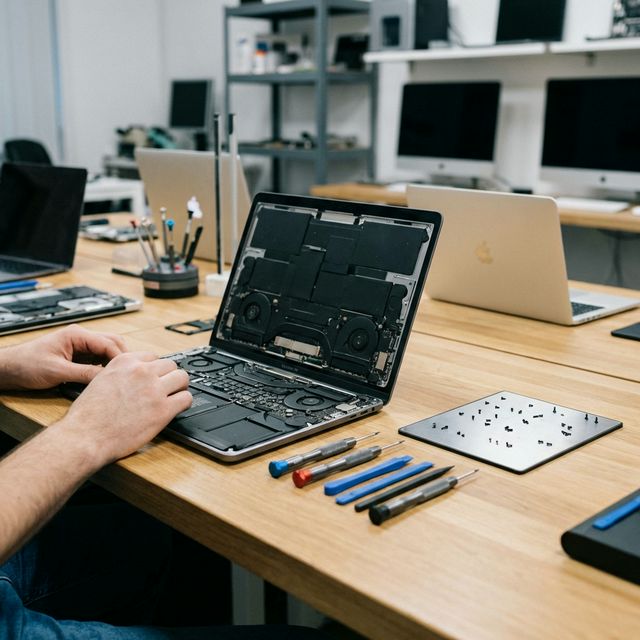
Repair clinical devices and stay PDPA compliant. Malaysian healthcare guide: data handling, chain of custody, certified wiping, compliant repair partners.
Healthcare Device Repair Compliance in Malaysia: PDPA & Data Security Guide
When a device used in a Malaysian healthcare setting breaks down — whether it is a Surface Pro in a clinic consultation room, an iPad used by nurses for patient intake, or a laptop running practice management software — the repair process carries legal and ethical obligations that go far beyond a standard consumer repair.
Patient data is among the most sensitive personal data covered under Malaysia's Personal Data Protection Act 2010 (PDPA). Getting device repair wrong in a healthcare context does not just risk a broken device. It risks a data breach, regulatory penalties, and serious erosion of patient trust.
This guide is written for clinic administrators, hospital IT managers, and practice owners who need to understand exactly what compliance looks like when sending a device for repair.
Understanding PDPA in the Healthcare Context
The Personal Data Protection Act 2010 governs the processing of personal data in commercial transactions in Malaysia. Healthcare providers — private clinics, specialist centres, dental practices, physiotherapy centres, and private hospitals — are all subject to PDPA when handling patient information.
What Counts as Personal Data Under PDPA?
In a healthcare context, the following data stored on devices is covered:
- Patient identifiable information: Names, IC numbers, addresses, contact details
- Medical records: Diagnoses, prescriptions, treatment notes, lab results
- Appointment and billing records: Payment history, insurance details
- Clinical images: X-rays, scans, clinical photographs stored on local devices
- Staff records: Employee data, credentials, payroll information
The Seven PDPA Principles and Device Repair
Two PDPA principles are directly relevant to device repair:
Security Principle (Section 9): Data processors must take practical steps to protect personal data from loss, misuse, modification, unauthorised or accidental access, disclosure, or alteration. Sending a device for repair without data protection measures is a potential breach of this principle.
Retention Principle (Section 10): Personal data shall not be kept longer than is necessary. Data on a device sent for repair that is not wiped or secured represents data being held beyond its controlled environment — a potential retention violation.
Practical consequence: If a device is sent for repair without proper data handling protocols and a breach occurs at the repair facility, the healthcare provider — not the repair shop — is the primary responsible party under PDPA.
Data Handling Protocols Before Device Repair
Implement these steps before any device leaves your facility.
Step 1: Data Assessment
Before authorising a repair, identify what patient data exists on the device:
- Is the device used to access a cloud-based practice management system (data is server-side — lower risk)?
- Does the device store data locally — offline EMR software, locally saved documents, clinical images?
- Does the device have cached login credentials for patient record systems?
- Is the device enrolled in a Mobile Device Management (MDM) system?
Step 2: Remote Wipe via MDM (Preferred Method)
If your clinic or practice uses a Mobile Device Management system such as Microsoft Intune, Jamf, or similar:
- Back up necessary data to your secure server or cloud system
- Initiate a remote wipe through the MDM console before physical handover
- Document the wipe with a timestamp and the MDM audit log
- Confirm wipe completion before releasing the device
MDM platforms available to Malaysian healthcare providers:
- Microsoft Intune — integrates with Microsoft 365, widely used in larger clinics
- Jamf Pro — purpose-built for Apple devices (MacBook, iPad, iPhone)
- Mosyle — cost-effective Apple MDM for smaller practices
- Google Workspace MDM — for Android tablets and Chromebook deployments
Step 3: Manual Data Wipe (When MDM Is Not Available)
For devices without MDM enrollment:
Windows devices:
- Go to Settings → System → Recovery → Reset this PC
- Choose "Remove everything"
- Select "Remove files and clean the drive" (not just quick reset)
- This performs a full drive overwrite before repair
macOS devices (Intel):
- Boot to macOS Recovery (Command + R at startup)
- Open Disk Utility → Erase the startup disk with security options set to 1-pass overwrite
- Exit without reinstalling macOS
macOS devices (Apple Silicon — M1/M2/M3):
- Power off the device
- Hold the power button until "Loading startup options" appears
- Select Options → Continue → Erase Mac
iPad / iOS devices:
- Settings → General → Transfer or Reset iPhone/iPad
- Erase All Content and Settings
Step 4: Document Everything
Create a written record for every device leaving your facility:
- Device serial number and model
- Date and time of data wipe
- Method used (MDM remote wipe / manual factory reset)
- Staff member who performed or authorised the wipe
- Name of repair centre receiving the device
- Expected return date
This documentation is your evidence of compliance if a PDPA inquiry ever arises.
Chain of Custody Protocols
Chain of custody means having a documented, unbroken record of who had physical possession of a device from the moment it left your facility to the moment it returned.
Minimum Chain of Custody Requirements
1. Written handover receipt Every device handed to a repair provider must come with a signed receipt specifying: device details, date and time of handover, the name of the staff member handing over, and the name and ID of the repair technician receiving.
2. Restricted access at the repair facility The repair centre should be able to confirm that your device is handled only by named technicians and not left unattended in general access areas during the repair process.
3. Secure storage if repairs span multiple days If a repair takes 2-3 days, the device should be stored in a locked cabinet or secure area — not left on an open workbench overnight.
4. Return receipt When the device is returned, document: date and time of return, condition of the device, and confirmation that no new user accounts or software were added.
TechFix Chain of Custody Commitment
As part of our corporate repair solutions offering, TechFix provides:
- Signed intake and return receipts for every device
- Technician access logs showing which staff member handled each device
- Locked secure storage for all healthcare client devices during multi-day repairs
- Written confirmation that no data is copied or retained during repairs
Certified Data Wiping Standards
Not all data wiping is equal. For healthcare providers, the industry standard for secure data wiping is important to understand.
Data Wiping Standards Reference
| Standard | Description | Suitable for Healthcare? |
|---|---|---|
| NIST SP 800-88 Clear | Single-pass overwrite | Yes — for functional drives |
| NIST SP 800-88 Purge | Multi-pass or cryptographic erase | Yes — recommended standard |
| DoD 5220.22-M | 3-pass overwrite | Yes — legacy but accepted |
| Blancco certified wipe | Software with audit certificate | Yes — provides legal evidence |
| Physical destruction | Shredding for failed drives | Yes — for drives that cannot be wiped |
For SSDs and NVMe drives (standard in modern laptops, Surface Pro, iPad), cryptographic erase is more effective than multi-pass overwriting due to how solid-state storage manages data blocks. The operating system's built-in "secure erase" options on modern macOS and Windows 11 use cryptographic erase and meet NIST SP 800-88 Purge requirements.
If a drive has physically failed and cannot be wiped, physical destruction by a certified facility with a destruction certificate is the only compliant option.
Choosing a Compliant Repair Partner
Not every repair shop is equipped to handle healthcare devices appropriately. Here is what to look for.
Checklist: Evaluating a Repair Partner for Healthcare Use
- Can they provide a signed data handling agreement or NDA?
- Do they have a documented chain of custody process?
- Do they carry professional indemnity or data breach insurance?
- Can they confirm restricted access to your device (named technicians only)?
- Do they offer secure device collection and delivery with tracking?
- Can they provide a written confirmation of no data retention post-repair?
- Do they have experience with the specific device types in your clinic?
- Do they offer a formal service level agreement (SLA) with turnaround guarantees?
Questions to Ask Directly
Before sending any device containing patient data:
"Do you have a formal data protection policy I can review?" "Who specifically will have physical access to my device during the repair?" "What happens to diagnostic data or backups created during the repair process?" "Can you provide a certificate confirming no data was extracted from the device?"
Medical Device Types We Service at TechFix
TechFix Malaysia services the full range of devices used in Malaysian clinical environments:
Tablets and Mobile Devices
- Microsoft Surface Pro 7/8/9/10 — common in GP clinics and specialist centres for EMR access, patient consent forms, and telemedicine
- iPad Pro / iPad Air — widely used for patient intake, imaging review, and point-of-care applications
- Samsung Galaxy Tab — used in hospital and clinic environments for nurse stations and ward rounds
Laptops and Workstations
- MacBook Pro / MacBook Air — popular in dental practices, aesthetic clinics, and independent specialist offices
- Dell Latitude / HP EliteBook — enterprise Windows workstations common in larger clinic networks
- Lenovo ThinkPad — durable Windows laptops used in hospital administrative and clinical departments
- Microsoft Surface Laptop — mid-range Windows device used in clinic reception and administrative roles
Common Repair Services for Healthcare Clients
- Screen replacement (with same-day options for critical devices)
- Battery replacement with written confirmation of original capacity restoration
- Keyboard and trackpad repair
- Water damage assessment and recovery
- SSD replacement and cloning (data-secure process with audit trail)
- Performance optimisation (RAM and storage upgrades)
See our full fleet repair pricing for corporate healthcare rates.
Case Study: Private Clinic in Petaling Jaya
A seven-doctor general practice in Petaling Jaya contacted TechFix after one of their Surface Pro 9 units developed a cracked screen. Their clinic manager was concerned: the device was used by GPs to access their cloud EMR system but also stored locally downloaded patient forms and offline appointment files.
The compliance challenge:
- Device contained cached login credentials to the EMR system
- Local storage had offline patient form templates with recent patient data populated
- The clinic had no MDM system — each device was managed manually
- They needed the device repaired within 48 hours to avoid disrupting the consultation schedule
What TechFix did:
- Guided the clinic manager through a manual local data wipe via Windows Reset (Remove everything, clean drive option) before device collection
- Provided a signed intake receipt with technician name and device serial number
- Stored the device in our locked healthcare client cabinet during the repair
- Completed screen replacement within 24 hours
- Delivered the device back with a signed return receipt confirming no data access
- Provided a one-page compliance summary the clinic could file for PDPA records
The outcome: The clinic now has a documented device repair SOP that their office manager follows for any future device repairs, using TechFix as their designated repair partner for all 12 devices in the practice.
Frequently Asked Questions
Q: Are Malaysian private clinics legally required to have a device repair policy under PDPA? The PDPA does not prescribe a specific device repair policy by name. However, the Security Principle requires healthcare providers to take "practical steps" to protect personal data. A documented repair policy — including data wiping procedures and chain of custody requirements — is evidence that you have taken practical steps. Without it, you are exposed in the event of a PDPA complaint or investigation by the Department of Personal Data Protection (JPDP).
Q: What is the penalty for a PDPA breach in a healthcare context in Malaysia? Under the PDPA, a breach can result in a fine of up to RM 500,000 per offence and/or imprisonment of up to three years. Repeated or particularly egregious breaches carry higher penalties. Beyond the statutory fine, healthcare providers also face civil liability from affected patients, regulatory action from the Ministry of Health, and reputational damage. The cost of a proper repair protocol is negligible compared to these risks.
Q: If a device completely fails and data cannot be recovered, is that a PDPA breach? Data loss due to hardware failure is not automatically a PDPA breach. PDPA requires reasonable steps to protect data, not a guarantee against data loss. If you had regular backups, used a cloud-based system where the primary data copy is on a secure server, and followed standard care procedures, a hardware failure resulting in data loss on a local device is unlikely to constitute a breach. Document what happened and what data was affected.
Q: Can TechFix sign a data handling agreement (DHA) before we send devices? Yes. TechFix offers a standard Data Handling Agreement for healthcare and corporate clients that outlines our obligations regarding data access, storage, and destruction during the repair process. Contact our corporate solutions team to request a DHA before your first device repair.