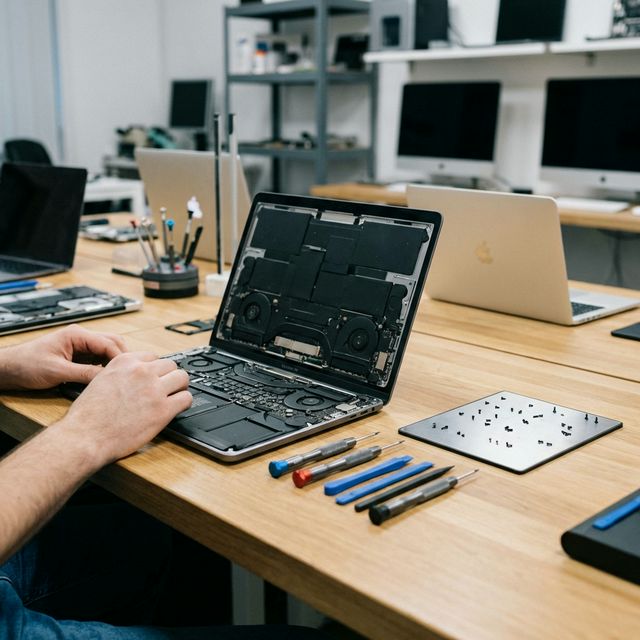
Repair or replace aging IT assets? Decision frameworks, tax implications, and real RM pricing to help Malaysian companies make smarter IT decisions.
IT Asset Repair vs Replacement: The Complete Guide for Malaysian Businesses 2026
Every IT manager and business owner in Malaysia eventually faces the same crossroads: a critical device breaks down, and you must decide whether to repair it or replace it entirely. Get this decision wrong and you either waste money on a device that fails again in three months, or you spend RM 5,000 on a replacement that was completely unnecessary.
This guide gives you a structured framework for making this decision correctly — backed by real RM pricing, device lifespan data, and Malaysian tax considerations.
The True Cost of IT Assets: What Most Businesses Miss
Most businesses calculate IT costs in a dangerously narrow way. They compare the repair quote against the replacement price tag and make their decision. This misses the majority of the real cost.
Total Cost of Ownership (TCO) includes:
- Purchase or repair cost
- Setup and deployment time
- Data migration (if replacing)
- Staff downtime during switchover
- Training for new hardware/software
- Ongoing maintenance
- Warranty and support coverage
- Disposal cost of old hardware
When you factor in all of these, a RM 800 laptop repair often beats a RM 2,500 replacement by a significant margin — especially for devices used in standard office tasks.
Real RM Pricing: Repair vs Replacement Cost Comparison
Laptop Repair Costs at TechFix Malaysia
| Repair Type | Common Models | Repair Cost | Replacement Cost |
|---|---|---|---|
| Screen replacement | MacBook Pro 13" | RM 950 – RM 1,200 | RM 5,500 – RM 8,000 |
| Screen replacement | Dell XPS 13 | RM 650 – RM 900 | RM 4,500 – RM 6,000 |
| Battery replacement | MacBook Air M1 | RM 350 – RM 450 | RM 4,500 – RM 5,500 |
| Battery replacement | Lenovo ThinkPad | RM 180 – RM 280 | RM 3,000 – RM 4,500 |
| Motherboard repair | Surface Pro 7 | RM 600 – RM 1,200 | RM 4,500 – RM 6,000 |
| Keyboard replacement | HP EliteBook | RM 250 – RM 400 | RM 3,000 – RM 4,000 |
| SSD upgrade + OS | Any business laptop | RM 350 – RM 600 | N/A (extends life 2-3 years) |
For a fleet of 50 devices, the difference between a repair-first strategy and a replace-first strategy can easily exceed RM 100,000 per year.
Device Lifespan by Type: The Foundation of Your Decision
Understanding realistic device lifespans prevents both premature replacement and running hardware into the ground.
Business Device Lifespan Reference
| Device Type | Expected Lifespan | Extended Lifespan (with maintenance) |
|---|---|---|
| MacBook Pro | 5 – 7 years | 7 – 9 years |
| MacBook Air | 4 – 6 years | 6 – 8 years |
| Microsoft Surface Pro | 4 – 5 years | 5 – 7 years |
| Microsoft Surface Laptop | 4 – 5 years | 5 – 7 years |
| Dell XPS / Latitude | 4 – 6 years | 6 – 8 years |
| HP EliteBook / ProBook | 4 – 6 years | 6 – 8 years |
| Lenovo ThinkPad | 5 – 7 years | 7 – 9 years |
| iPad (Pro / Air) | 4 – 6 years | 5 – 7 years |
These lifespans assume regular maintenance — battery replacement at 2-3 years, thermal paste refresh at 3-4 years, and SSD replacement or upgrade before capacity or speed degrades.
Key insight: A RM 450 battery replacement on a 3-year-old MacBook can extend its useful life by 2-3 years. Over 50 devices, that is RM 22,500 spent to avoid RM 275,000 in replacements.
The Decision Framework: When to Repair, When to Replace
Use this decision tree for every IT asset that breaks down.
Step 1: Calculate the Repair-to-Value Ratio (RVR)
RVR = Repair Cost ÷ Current Replacement Value
Guidelines:
- RVR under 25%: Repair is almost always the right choice
- RVR 25% – 50%: Repair if the device has more than 2 years of useful life remaining
- RVR 50% – 75%: Repair only if the device is critical and replacement stock is unavailable
- RVR above 75%: Replace — you are spending too much to extend a short remaining lifespan
Step 2: Assess Remaining Useful Life
Ask these questions:
- How old is the device? (Compare to lifespan table above)
- Has it received maintenance? (Battery, thermal paste, storage)
- Is the hardware still compatible with current software requirements?
- Is the repair fixing a single fault, or masking systemic failure?
Step 3: Factor in Business Continuity
Some devices are critical enough that replacement turnaround time matters more than cost. For mission-critical devices, always keep spare units in stock rather than waiting on repairs.
Step 4: Consider the Strategic Refresh Cycle
If a device will need replacement within 18 months regardless, repair costs become sunk costs. However, if your refresh cycle is 4-5 years and the device is only 2 years old, repair is almost always correct.
Tax Implications: Capex vs Opex in Malaysia
This is one of the most underappreciated dimensions of the repair vs replacement decision for Malaysian businesses.
Capital Expenditure (Capex) — Purchasing New Hardware
When you buy new IT equipment in Malaysia:
- Classified as a capital asset
- Depreciated under Schedule 3 of the Income Tax Act 1967
- Standard rate: 20% initial allowance + 20% annual allowance for computers
- Full depreciation over approximately 5 years
- You cannot expense the full cost in Year 1
Operational Expenditure (Opex) — Repair and Maintenance
When you pay for repairs and maintenance:
- Classified as business operating expenses
- Fully deductible in the year the expense is incurred
- No depreciation schedule required
- Immediate tax relief
Practical Example: RM 100,000 IT Budget
Scenario A: Replace 10 laptops at RM 10,000 each
- Year 1 tax deduction: RM 40,000 (20% initial + 20% annual allowance × RM 100,000)
- Remaining deductible over 4 more years
Scenario B: Repair 10 laptops at RM 800 each + upgrade 5 laptops at RM 1,200 each
- Total spend: RM 14,000
- Year 1 tax deduction: RM 14,000 (100% deductible as opex)
- Remaining budget: RM 86,000 available for other business needs
For companies under the SME tax rate (17% on first RM 600,000 chargeable income), the opex route delivers immediate cash flow benefits that compound over time.
Always consult your tax advisor for specific guidance on your company's classification.
Environmental Considerations: E-Waste in Malaysia
Malaysia generates over 300,000 tonnes of e-waste annually, and only a fraction is properly recycled. For businesses with Environmental, Social, and Governance (ESG) commitments — increasingly required by larger corporate clients and government contracts — a repair-first policy directly reduces your organisation's environmental footprint.
E-waste facts relevant to Malaysian businesses:
- The average laptop contains 40+ different materials including lead, mercury, and cadmium
- Proper e-waste disposal costs RM 30 – RM 80 per unit through licensed facilities
- Improper disposal creates legal liability under Malaysia's Environmental Quality Act 1974
- ISO 14001 certification and Bursa Malaysia sustainability reporting increasingly require e-waste tracking
A documented repair-first policy with a licensed repair partner like TechFix gives you a clear audit trail for ESG reporting.
Carbon Footprint Comparison
Manufacturing a new laptop produces approximately 300 – 500 kg of CO₂ equivalent. Repairing an existing device produces roughly 5 – 15 kg. For a company replacing 50 devices annually, switching to a repair-first policy reduces embodied carbon by approximately 15,000 – 25,000 kg CO₂e per year — equivalent to taking 3-5 cars off the road.
Case Study: Manufacturing Company Saves RM 150,000
A medium-sized manufacturing firm in Shah Alam with 120 staff came to TechFix after struggling with a ballooning IT budget. Their previous approach: replace any device that broke down, regardless of age or repair cost.
The situation:
- 120 laptops and tablets in their fleet
- Average device age: 2.8 years
- Annual replacement spend: RM 220,000
- Average replacement cost per device: RM 4,500
Our assessment: After a full fleet audit, we found that 68% of replacement decisions involved devices that were perfectly repairable at under 20% of replacement value. The most common issues: failed batteries, cracked screens, and slow performance due to outdated SSDs.
The intervention:
- Introduced a structured repair-first policy with RVR thresholds
- Enrolled the fleet in our corporate repair solutions programme
- Replaced only 22 devices that genuinely exceeded their useful life
- Repaired and upgraded the remaining flagged units
The result:
- Year 1 IT hardware spend: RM 70,000 (down from RM 220,000)
- Total savings: RM 150,000 in the first year
- Average device lifespan extended from 2.8 years to 4.6 years
- Zero productivity loss due to the repair programme's 24-hour turnaround SLA
For information on structuring a corporate repair programme for your fleet, see our fleet repair pricing page.
Building a Fleet Repair Policy for Your Business
A documented IT asset policy removes guesswork and ensures consistent decisions across your organisation.
Core Policy Elements
1. Repair threshold: Any device under X years old with a repair cost below Y% of replacement value is repaired, not replaced.
2. Approved repair partner: Designate a certified repair centre to maintain quality and warranty consistency. All repairs go through one partner for accountability.
3. Maintenance schedule: Proactive maintenance every 18-24 months (battery check, thermal paste, storage health) prevents emergency repairs.
4. Asset tracking: Log every device with purchase date, repair history, and projected end-of-life date. This makes refresh planning systematic rather than reactive.
5. Disposal protocol: End-of-life devices go to a certified e-waste recycler with a destruction certificate for compliance records.
Frequently Asked Questions
Q: At what age should we stop repairing laptops and just replace them? For most business laptops, the crossover point is around 5-6 years for Windows devices and 6-7 years for MacBooks. Beyond these ages, hardware compatibility with current software, security update eligibility, and performance start to become original blockers rather than just minor inconveniences. However, age alone is never a sufficient reason — always apply the RVR calculation first.
Q: What repairs are never worth doing, regardless of cost? Avoid repairs on devices with multiple simultaneous failures (e.g., failing screen and motherboard and battery at the same time), devices with physical structural damage to the chassis affecting structural integrity, and any device where the manufacturer has ended security patch support. In these cases, even a low RVR does not justify repair.
Q: Does repairing a device void its manufacturer warranty? In Malaysia, using a third-party repair centre for out-of-warranty devices does not void any remaining coverage under the Consumer Protection Act 1999. For devices still under manufacturer warranty, always use authorised service first. TechFix provides its own 90-day warranty on all repair work.
Q: How do we handle repairs for a remote workforce spread across Malaysia? TechFix offers a courier-in repair service with insured shipping both ways. For large fleets, we can also arrange on-site assessment visits for Klang Valley locations. Contact us at corporate solutions to discuss logistics for your specific setup.